Quickstart
Publish a page
The checklist to run every time you publish or update a page.
Run this on every new article or money-page update. The discipline here is why 10 links beat 1,000 — get it right and a few links move the needle.
Before you publish
- Headings written research-paper-style. H1 = topic, H2 = subtopics, H3 = sub-subtopics, H4 = conclusion. Every heading ties to the primary keyword. Kill "About the Author," "Read Next," vague phrases.
- Q&A paragraph format under question headings: sentence 1 answers the question directly (no stories), sentence 2 cites a source / how you know, sentence 3 gives an applied example. This is the durable AEO lever.
- Schema appropriate to the market — plugin-level for simple niches (Yoast best, SEOPress Pro fine, Rank Math no), hand-built About + Mention schema citing entities by machine ID for sophisticated ones (lawyers, rehab). Validate as ONE connected graph in Rich Results. Drop it per-page via SEOPress Pro or site-wide via WP Code. The live demo ran on Total Shade LLC (
totalshadellc.com, post?p=13807): SEOPress Pro handles the on-page SEO fields, and there's a schema function in the page editor — but Clint runs schema through a different plugin because "these guys are in France and they like to ship broken updates — you can see, this is busted." On every published article, confirm the SEOPress Pro fields are actually filled (Yoast→SEOPress migrations leave shortcode-populated fields empty) and set the featured image (~5 min).
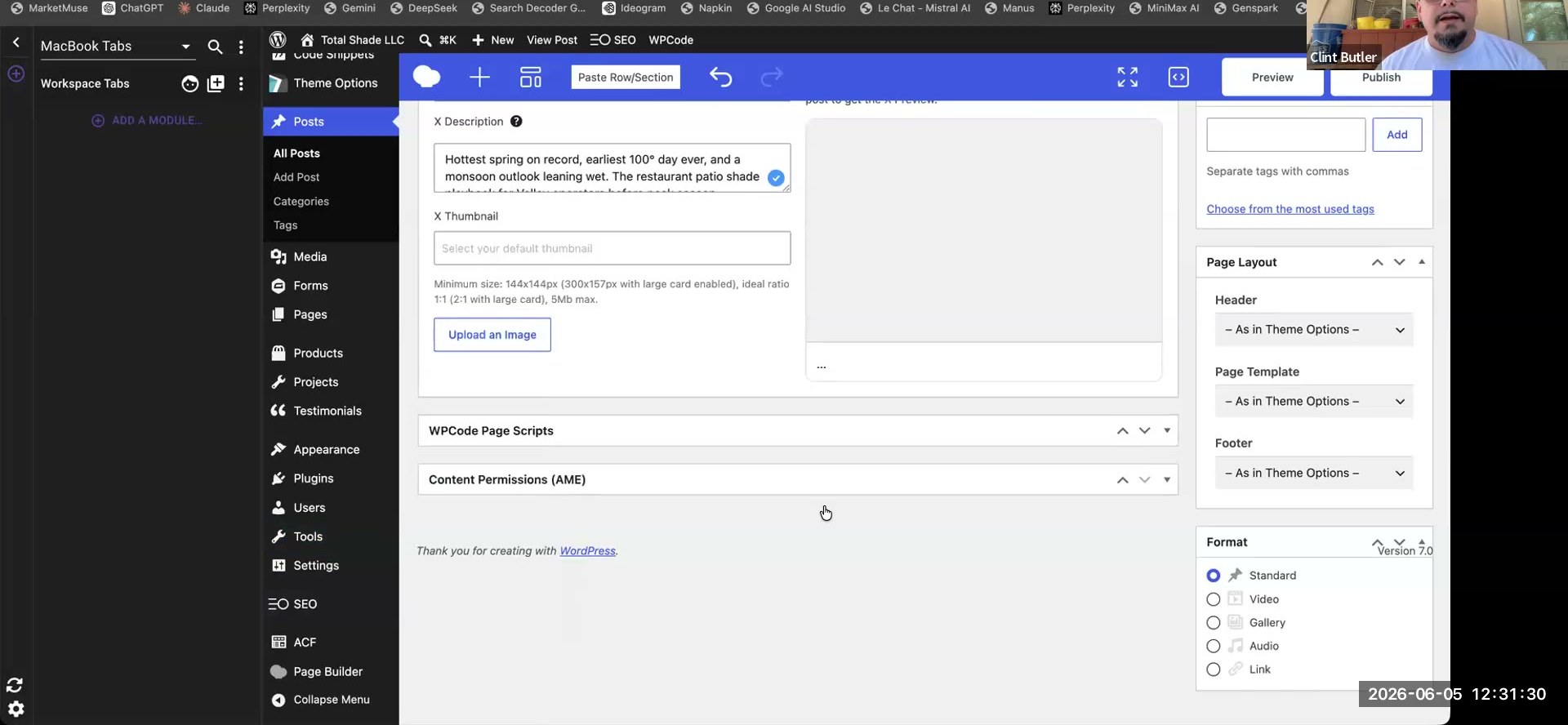 The live publish screen on Total Shade LLC, showing the WPCode Page Scripts block (site-wide schema injection). Per-page schema is set in SEOPress Pro; site-wide via WP Code.
On publish
- Internal links — link OUT from the new page to relevant existing pages.
- Internal links — link IN: update older content to link to the new page. This is the priority step, not a monthly cleanup. No links = a deindex signal.
- External links only to genuinely cited sources (e.g. the National Weather Service in a weather article). No default Wikipedia.
After publish
- Send links at the new URL: run RD100 (no auth) or a cloud-template run — not both, unless the keyword is hard. One URL per run.
- Set the anchors (safety gradient). In both wizards, set Primary Keywords = 100% on both screens. Tier 1 (points at the money page): brand only — brand exact + a brand partial-match (e.g.
Adam's Pool and Spa Service+…servicing Long Beach, CA customers); leave Generic/Branded/Partial-Match/Plain-URL unchecked, DAS already pillowed those. Tier 2 (one layer down): exact match + variations + entities, 50–100 anchors. Never put exact match in Tier 1 — Google is sensitive to it. - Indexing split: Tier 1 links → Omega Indexer; Tier 2/3 links → Coalindexer (don't pay Omega rates for spam-tier sites).
When to bother (triage)
- Do touch: pages ranking 11–25. They're close — fixing headings + Q&A usually pushes them up.
- Don't touch: pages already top-3, or with zero rankings (not even page 5).
Then continue
That's one page done. Pull GSC, filter to 11–25, and repeat at the next easy-win URL. When a client's grids go consistently top-3, switch to Monthly cadence.
Go deeper
- Anchor text system — full Tier 1 / Tier 2 SOP + the deep-tier pyramid.
- On-page discipline — headings + internal-linking in full. For the Q&A / AI-citation half, see Get cited by AI.
- Entities & machine IDs — capturing entities; Advanced schema for wiring them into the page.
- RD100 · Cloud blogs + template — the two link weapons.