"Charles Taylor: Website Migrations With Zero Traffic Loss"
Why most migrations never fully recover, and the sequenced "secret sauce" launch that forces Google to crawl old URLs before new ones.
On this page
- Main takeaways
- Key points
- Speaker background
- The failure data (Search Engine Journal study)
- "Bad" migration examples (shown as charts)
- Typical and good migrations
- Triage / site-strategy order
- Cleanup checklist (before migration)
- Finding every URL
- Keep / Redirect / Kill
- Redirect rules
- SEO build-process / on-page notes
- The "secret sauce" launch sequence
- Takeaways slide
- Recovery and last tips
- Q&A
- Freebies / CTA
- Slides
- Source
Charles Taylor, an enterprise SEO (LexisNexis, Verizon, Fox; SEO Fight Club), delivered this Day 3 session on running website migrations without losing organic traffic. His core argument is that migrations fail far more often than the industry admits, and the main culprit is blind faith in Google's standard advice (bring up the new domain, submit sitemaps, fire 301s). The talk lays out a more hands-on, cynical process: clean up the legacy site first, find and map every URL, build the new site to be better than the old one, and run a sequenced launch that forces Google to crawl the old URLs before it reaches the new ones. He closes with a Q&A on toxic links, no-index landing pages, and mini-migrations.
Main takeaways
-
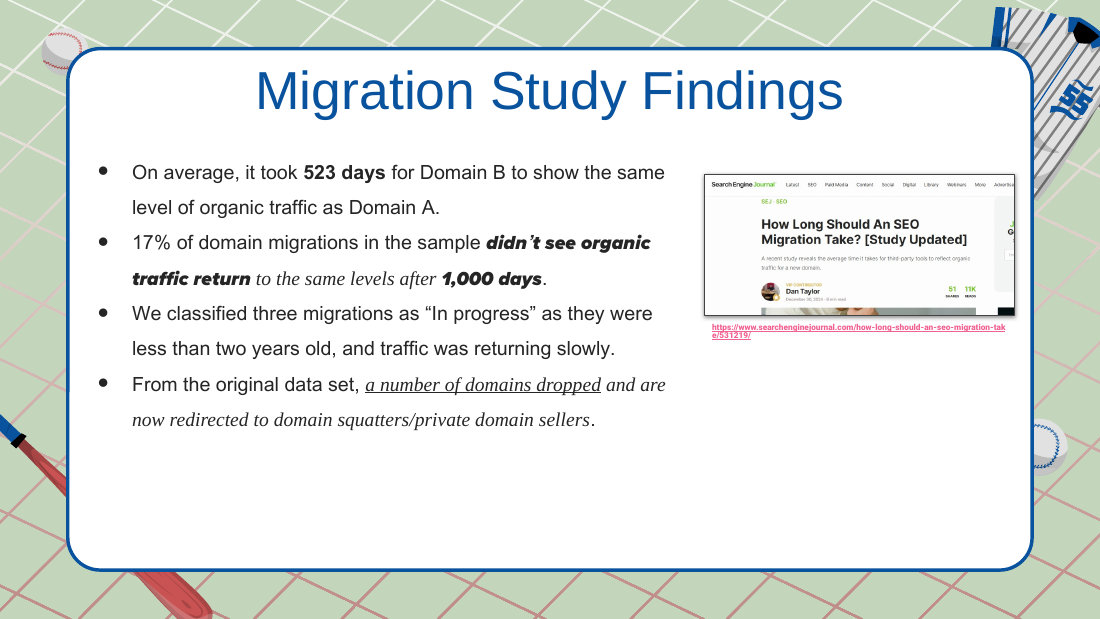
Most migrations never fully recover, and "follow Google's advice" is the trap. A Search Engine Journal study (article by Dan Taylor, no relation) found an average of 523 days to recover, and a large portion of domains never saw organic traffic return after 1,000 days. Taylor's point: nobody follows all of Google's general SEO advice, so blindly following all of Google's migration advice is a blind spot.
-
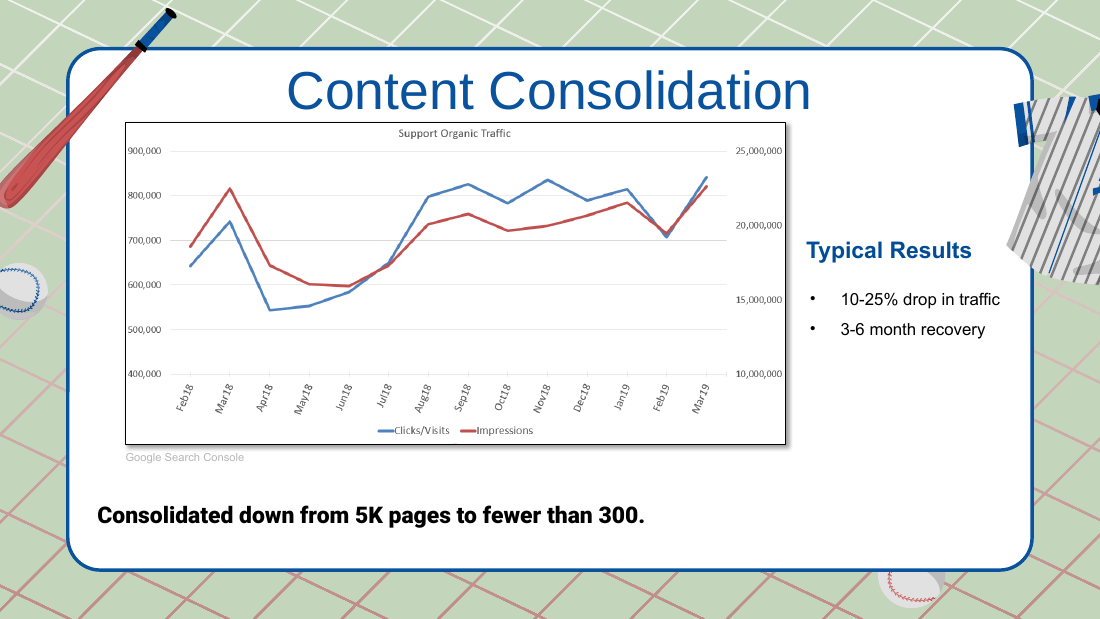
A well-run migration should drop 10 to 25% for three to six months, then recover. That is the realistic expectation to set with clients. The SEO's job is to make the drop as small and the recovery window as short as possible, not to promise zero loss.
-
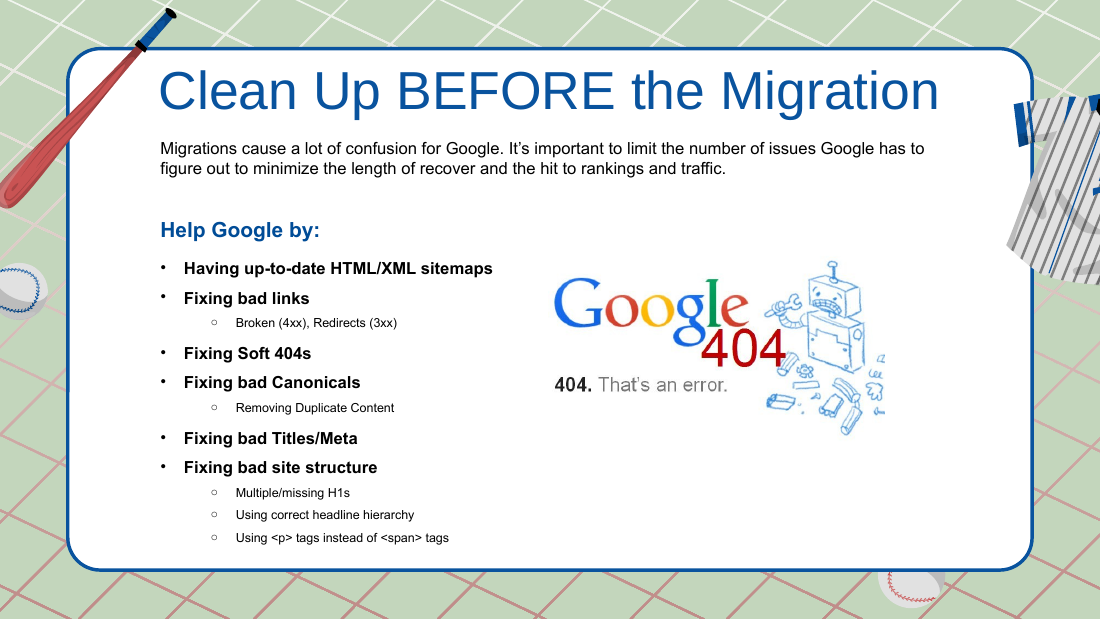
Clean up the legacy site BEFORE migrating. Whatever crawling issues exist before migration follow you to the new site. Fix sitemaps, bad links, soft 404s, bad canonicals, duplicate content, titles/metas, and heading structure first, because migrations already create enough confusion for Google.
-
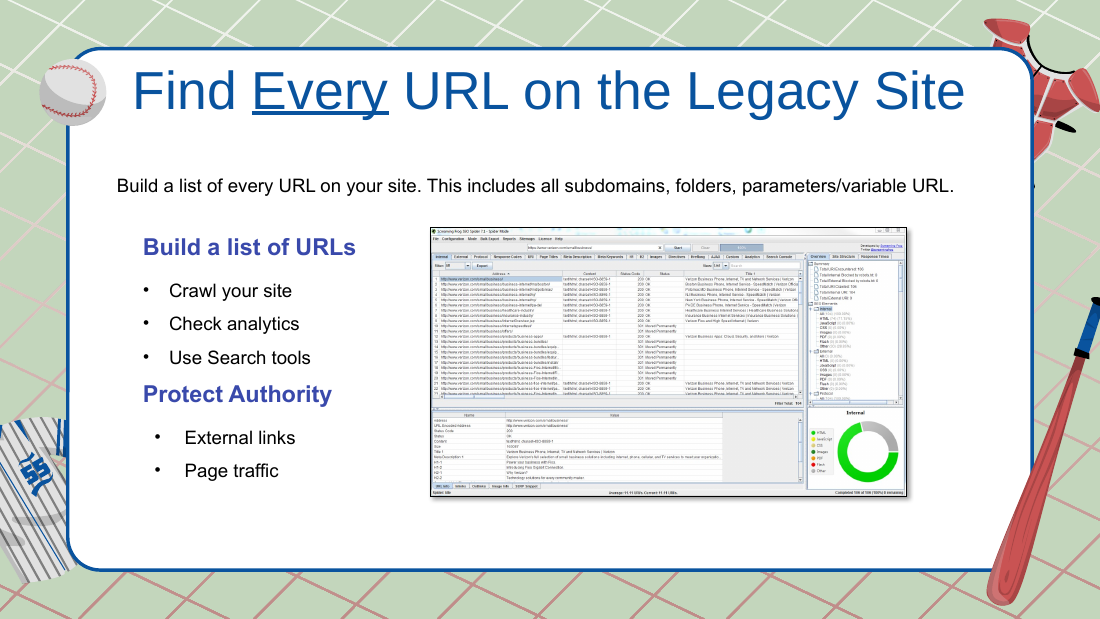
Find every URL on the legacy site, then decide keep / redirect / kill. Pull URLs from Search Console (16 months of impressions and clicks), Google Analytics landing pages (organic and all traffic), backlink sources, and an XML sitemap crawl, then de-dupe into one master list. Keeping a URL unchanged is the best outcome; 301 redirect if it must change; killing a page is acceptable but forfeits that page's authority.
-
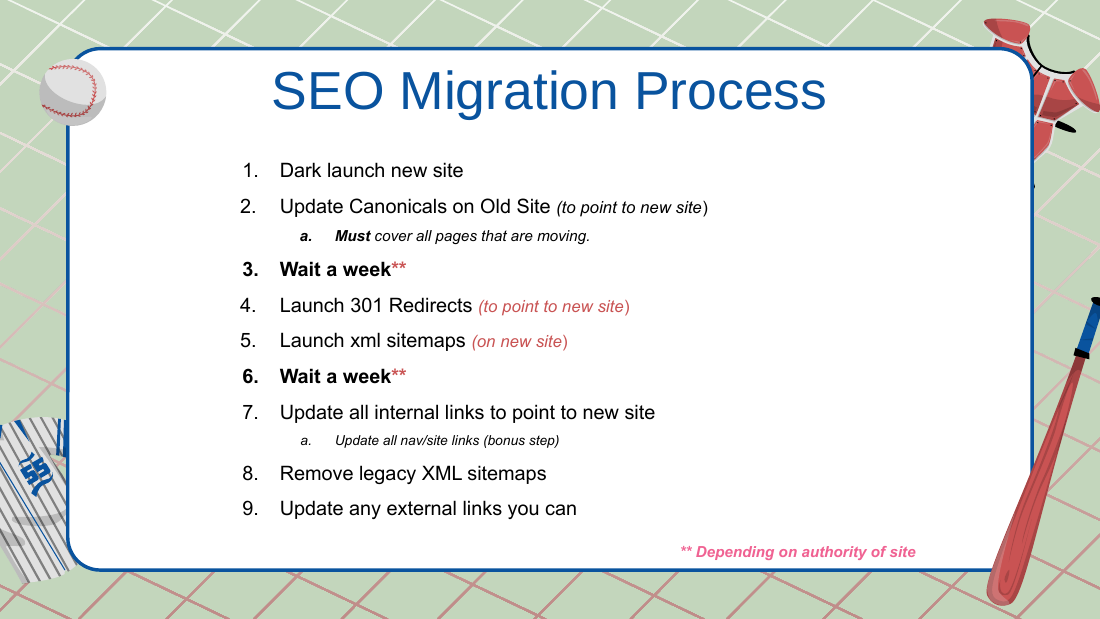
The "secret sauce" is a sequenced launch that forces Google to crawl old before new. Dark launch the new site, update the old site's canonicals to point at the new URLs, wait about a week, then launch single-hop 301 redirects and the new XML sitemaps, wait another week, then update internal and nav links and remove the legacy sitemaps. Without sequencing, Google thinks both sites still exist.
-
The new site must be as good or better, technically and on-page. This is the real "wow factor" that recovers and grows traffic, because even a flawless migration loses a little authority that you have to rebuild.
-
Keep 301 redirects effectively forever. The rule: if humans are hitting the old URL (start there, it scares Taylor more) or if Google is hitting it, redirect it indefinitely. Only drop a redirect when truly no one hits it. Keep the legacy domain in Search Console too.
-
Do not migrate for SEO reasons, and skip the Change of Address tool. Taylor never migrates purely for SEO (for example, to shed toxic links). He avoids GSC's Change of Address tool: no proven benefit, and historically it blinded you to legacy-URL data (he notes that data loss may have been fixed in the last six months).
Key points
Speaker background
- Enterprise SEO career: LexisNexis (several years), an e-commerce company (about 5.5 years), Verizon (about 5 to 6 years), Fox (several years), now independent.
- LexisNexis context: they sold lawyer-directory books for roughly 95 years; around 2007 lawyers started asking why buy a book when Google (and AltaVista) existed, so the company needed to replace that book revenue.
- Member of "SEO Fight Club" (references Ted, Lee, Clint; meets Tuesdays). He has appeared on BrightEdge / BrightCloud material.
- Personal trivia: loves the original Star Wars RPG by West End Games (around 1988 to 1989, six-sided dice system).
- Self-describes as a "white hat" from the corporate world, but adds "you name the sneaky tactic, I've probably tried it."
The failure data (Search Engine Journal study)
- Quote shown, Gary Illyes (Google): "When you redesign a site, its rankings in search engines may go nuts."
- Study article written by Dan Taylor (Search Engine Journal), "no relation" to Charles. Tracked several hundred sites.
- Average recovery: 523 days (more than a year) for domain-to-domain migrations.
- Discrepancy on the non-recovery rate: the transcript and the pre-written takeaways block say 70% of domain migrations did not see organic traffic return after 1,000 days; the deck (Slide 4) says 17%. Both figures are in the source; the discrepancy is unresolved.
- Deck: 3 migrations classified "in progress" (under two years old, traffic returning slowly). Some domains dropped entirely and now redirect to domain squatters or private domain sellers.
- The article noted about 5 to 6 sites recovered in roughly 30 to 45 days or less (which Charles says is how long it should take), but never stated how many were successful overall.
- Source URL cited in the deck: https://www.searchenginejournal.com/how-long-should-an-seo-migration-take/531219/ (not independently verified here).
"Bad" migration examples (shown as charts)
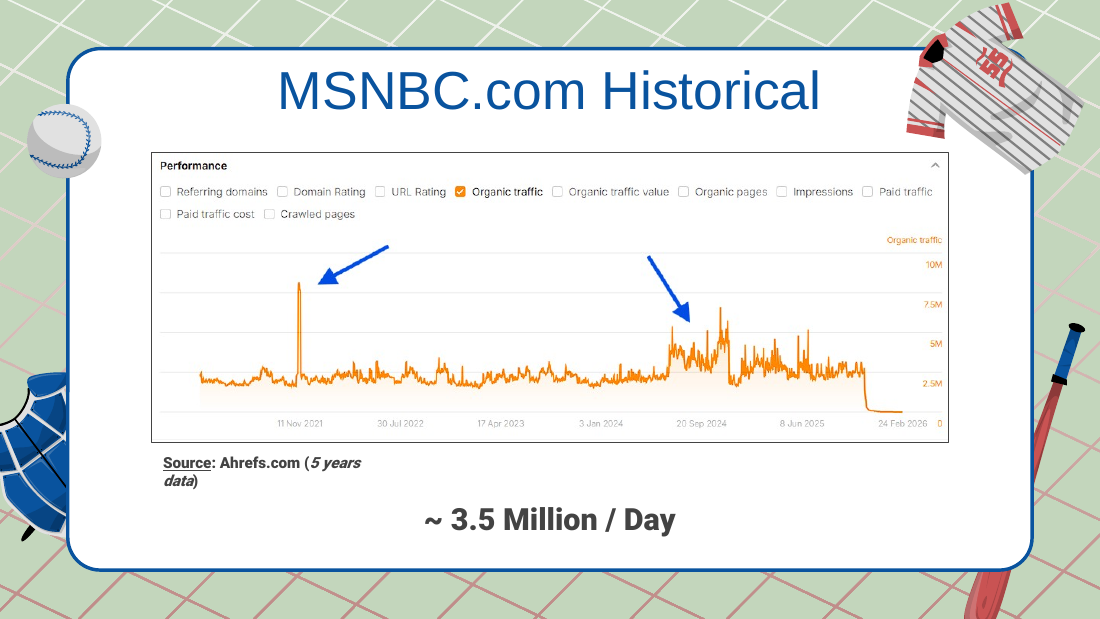
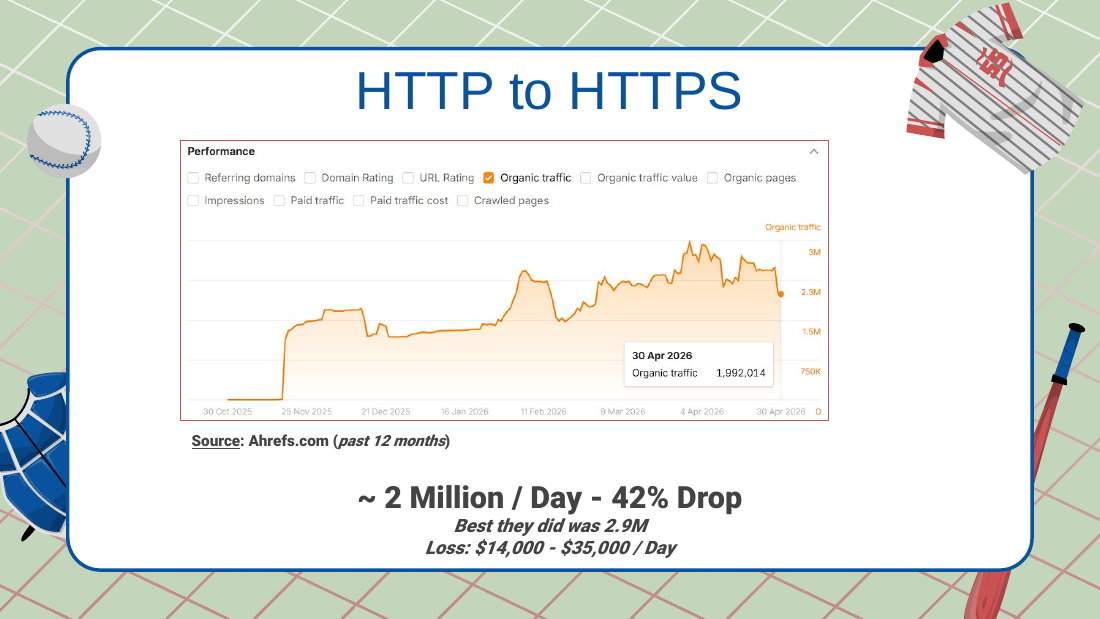
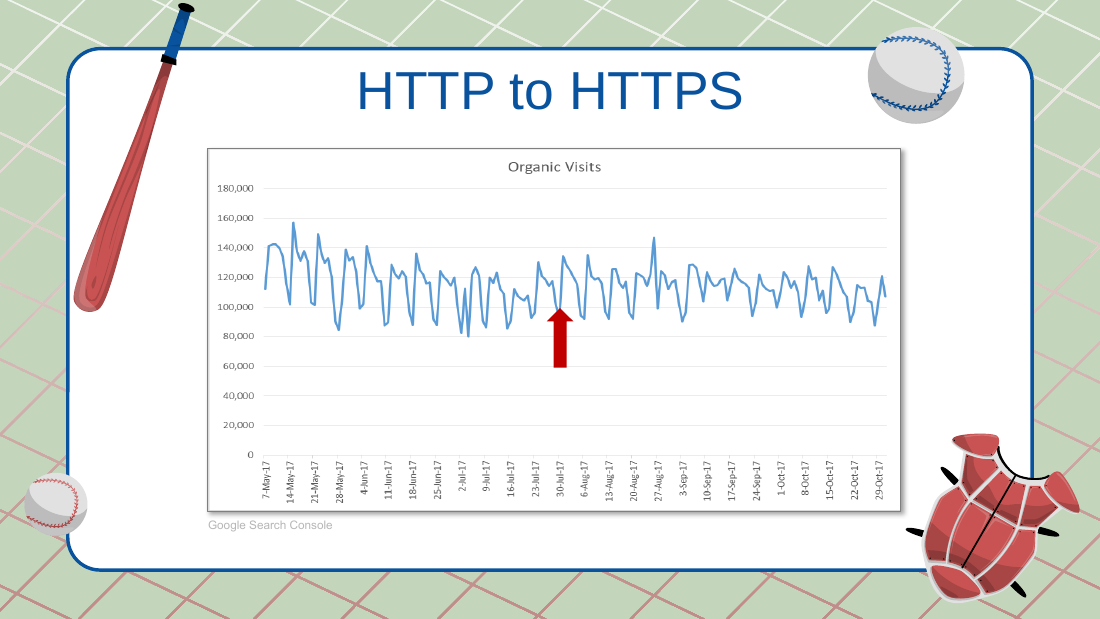
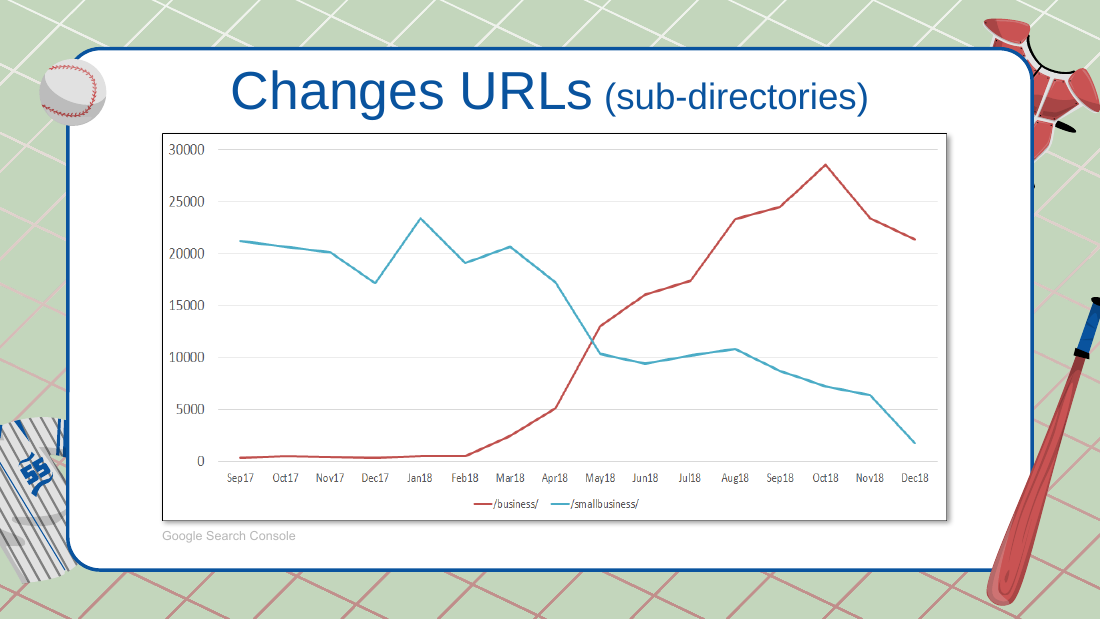
- MSNBC.com to ms.now: corporate rebrand. Agency told them to just bring up the new domain, submit sitemaps, do 301s. Was getting about 3.5M/day (transcript also says about 3.9M/day before); dropped to about 2M/day, a 42% drop; best day post-migration was 2.9M. Estimated loss around $14,000/day (deck: $14,000 to $35,000/day). They declined the full process. (The deck slide is labeled "HTTP to HTTPS" but the figures match the MSNBC numbers, so the label may be mismatched.)
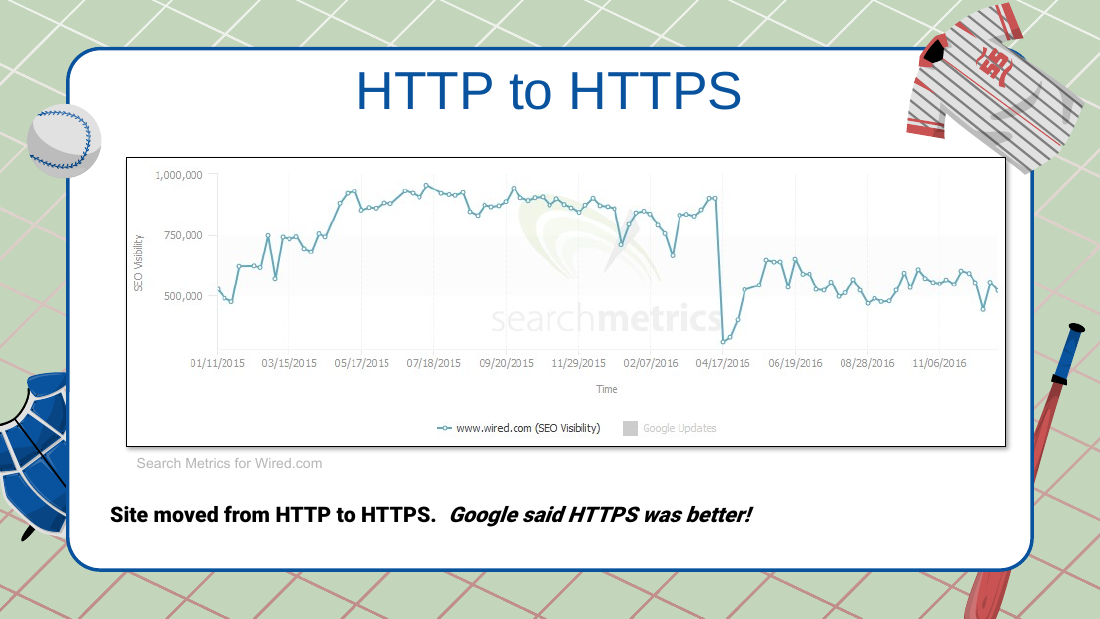
- Wired.com: moved HTTP to HTTPS because Google said HTTPS was better; lost traffic.
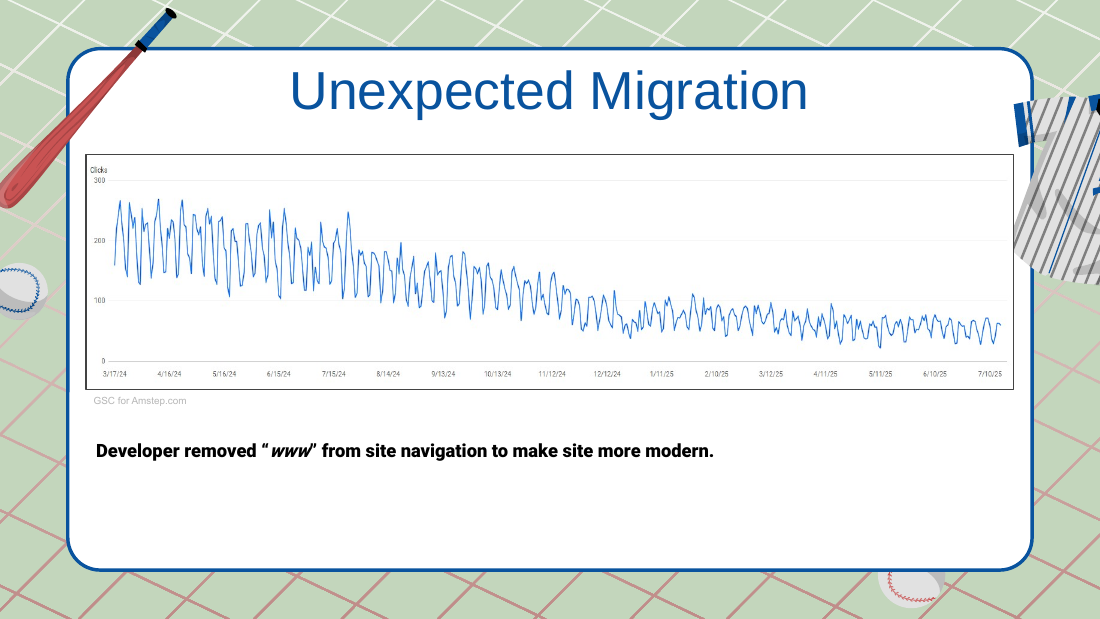
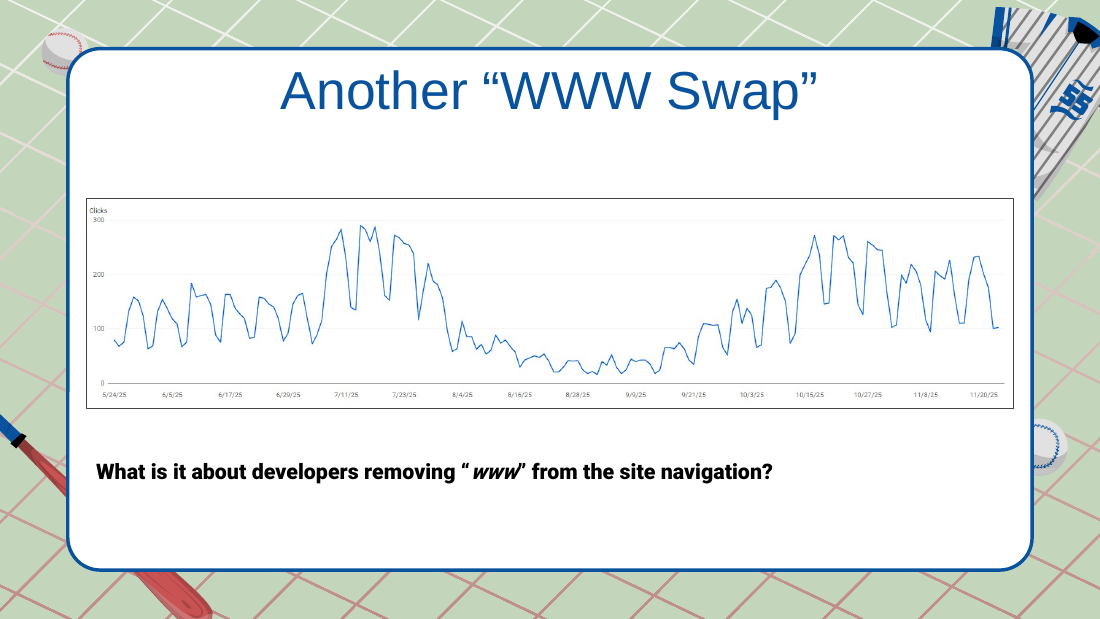
- Amstep.com (unexpected migration): a developer removed "www" from the site navigation to look modern; crushed organic. Lesson: when fired, remove the SEO's email from GSC/GA/GBP (he could still watch the decline).
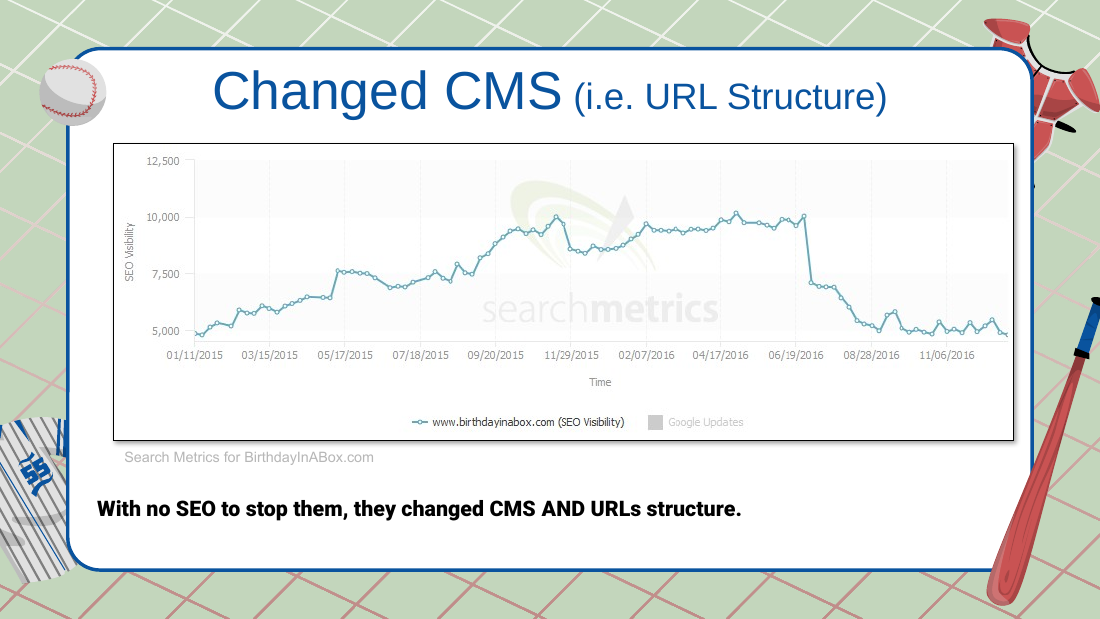
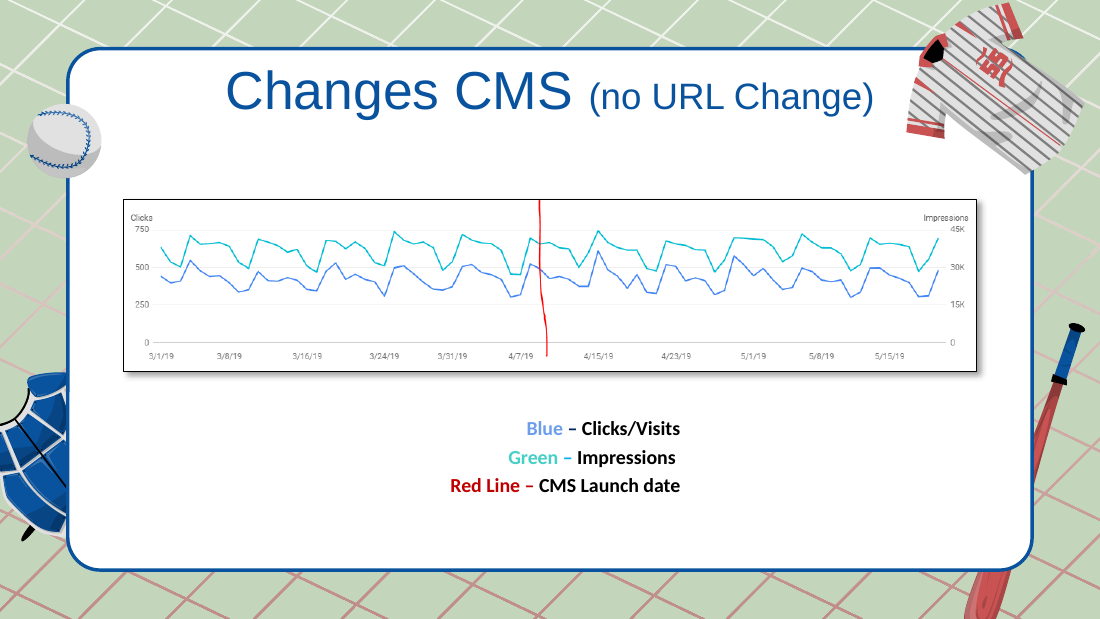
- BirthdayInABox.com: an e-commerce domain he once managed; after he left for Verizon, devs moved to Shopify and changed CMS AND URL structure with no SEO to stop them; crushed the site. (He has nothing against Shopify.)
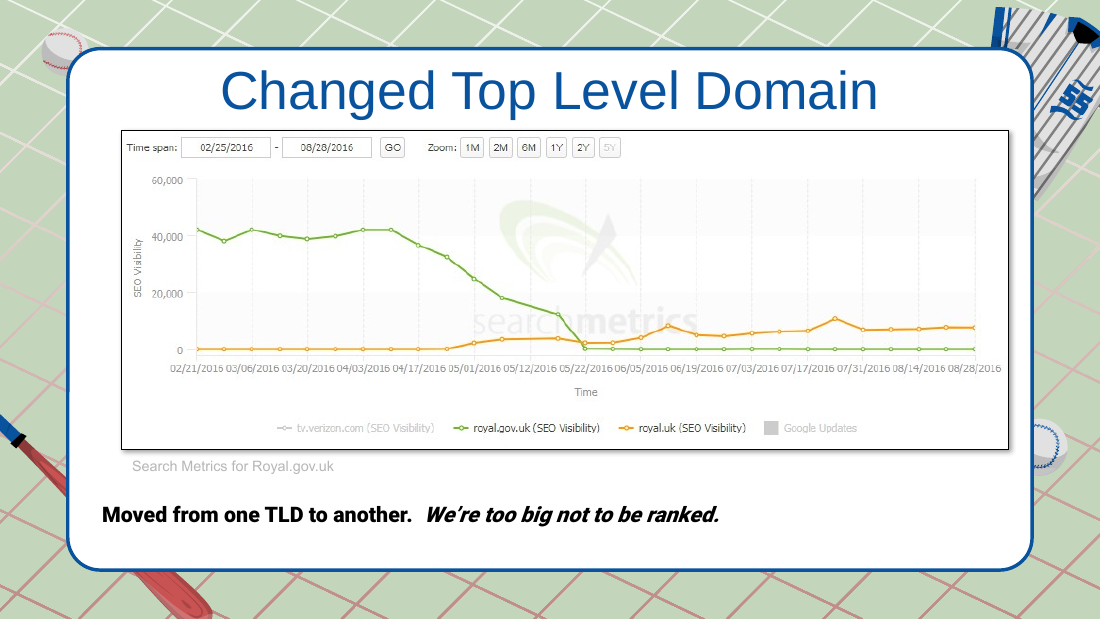
- Royal.gov.uk to royal.uk (2016): changed top-level domain on a "we're too big not to rank" mindset; lost traffic.
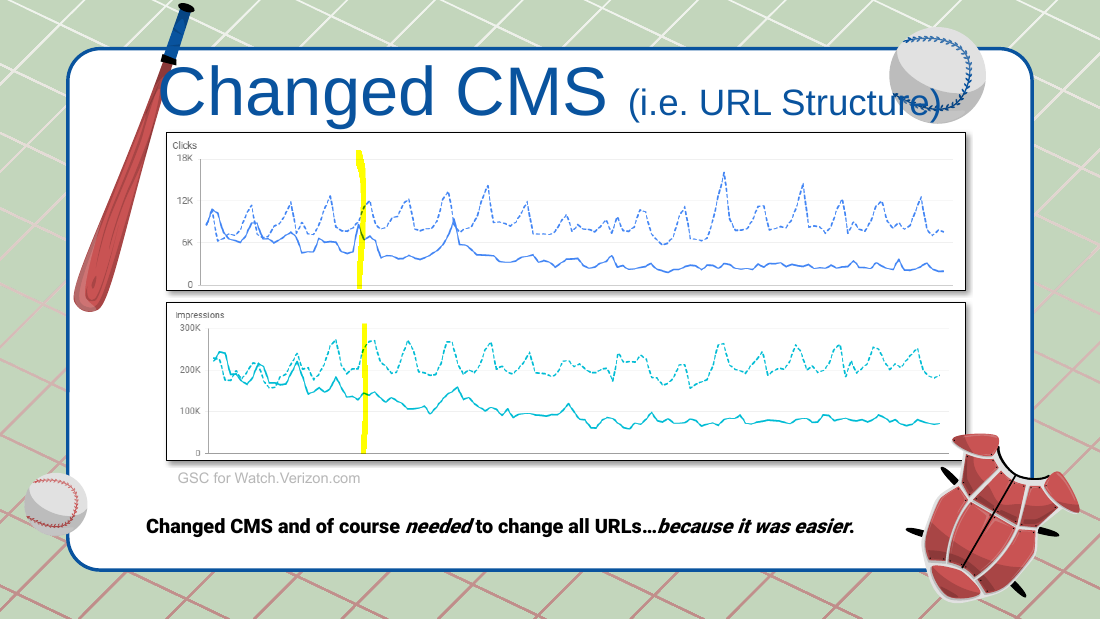
- Watch.Verizon.com: changed CMS and therefore all URLs "because it was easier"; the team said "traffic's not our KPI."
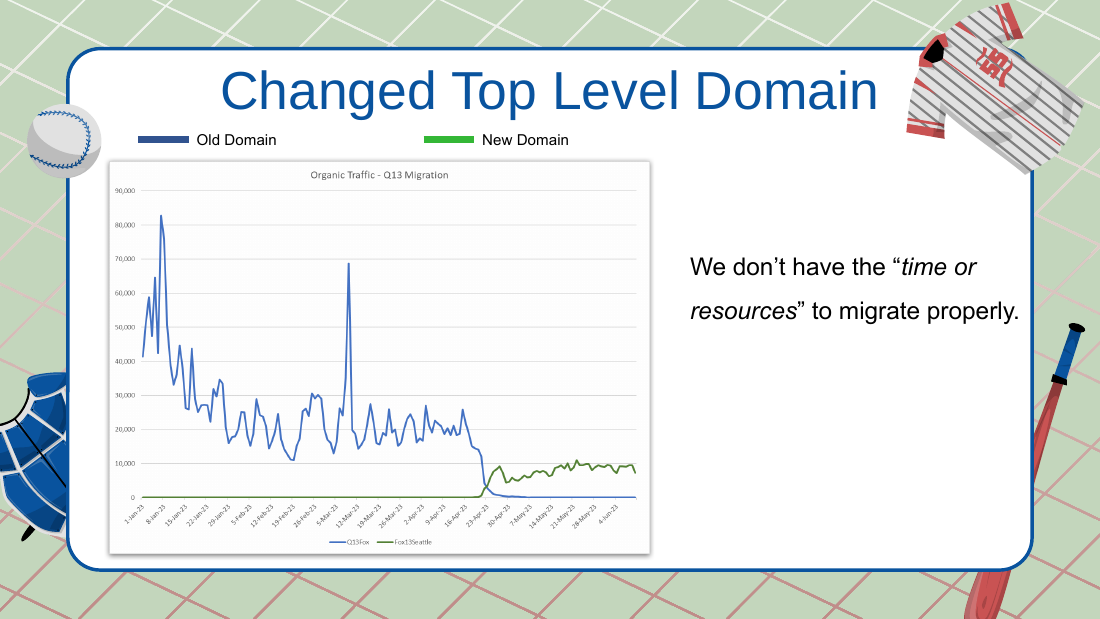
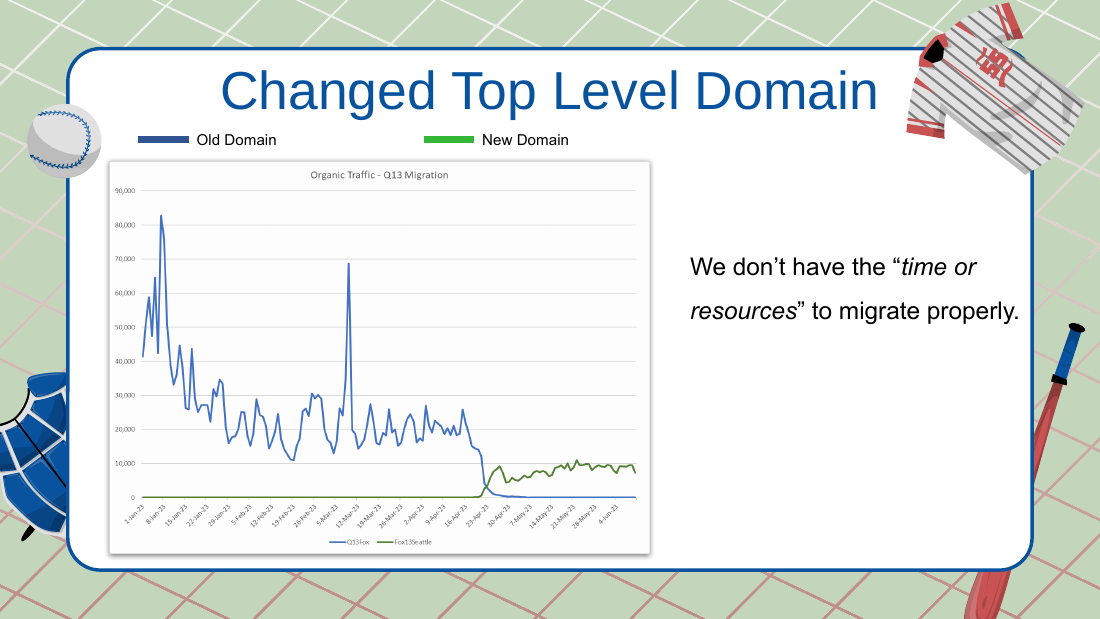
- q13fox.com (Fox Seattle affiliate): the GM wanted to change the domain because typing "Fox 13" surfaced the Tampa station; bad reason to migrate; lost traffic. They said they lacked "time or resources" to migrate properly.
Typical and good migrations
- Client expectation Charles sets: 10 to 25% drop for 3 to 6 months, then recovery.
- Verizon support-network consolidation: about 5,000 pages down to about 300 to 350 (had legacy pages like one about Netscape Navigator); dipped, recovered in a few months, ended better off.
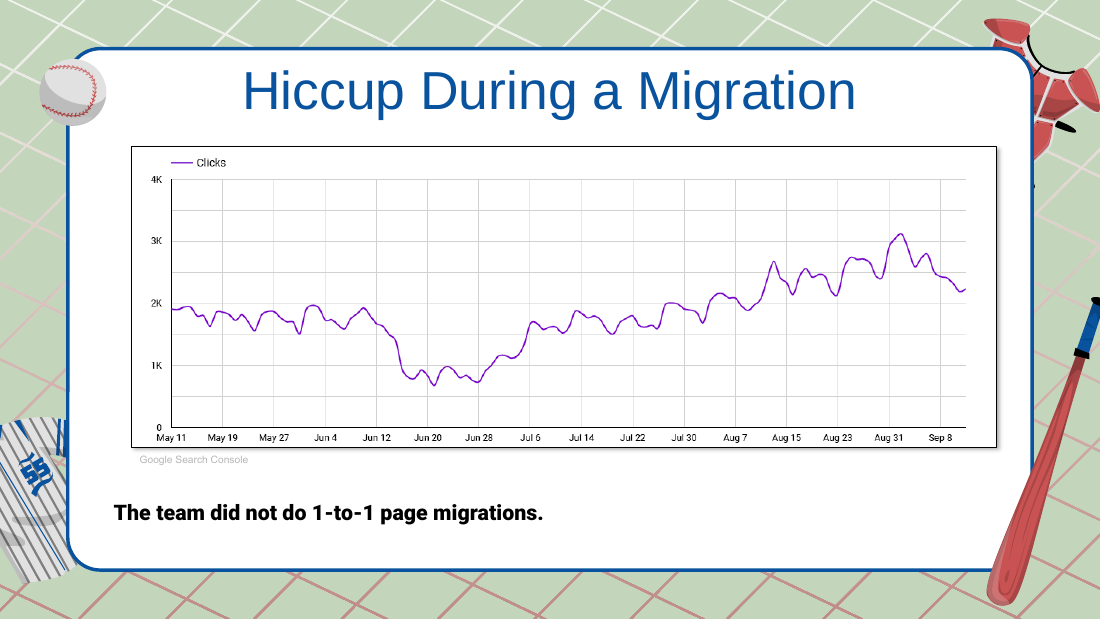
- Hiccup example (e-commerce, summer): a many-to-one redirect (all blog posts redirected to the blog) was caught and fixed to one-to-one; recovered in about 2 weeks. Lesson: don't panic on a hiccup.
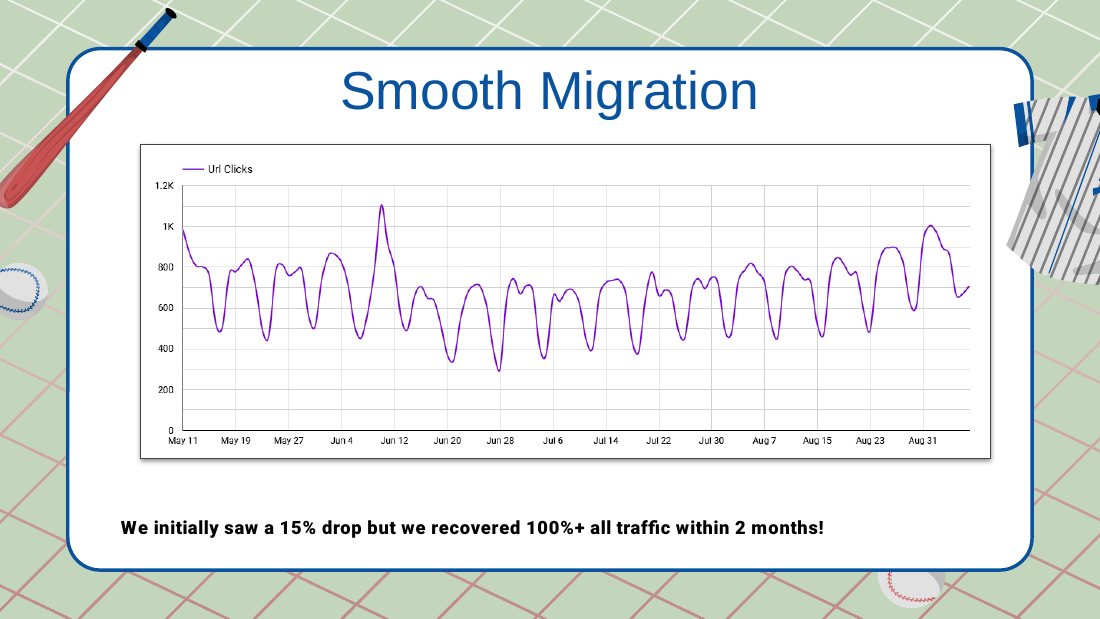
- Smooth e-commerce migration: about 15% drop, recovered 100%+ within 2 months. Note: a jump can appear before launch because two sites are briefly both in the index.
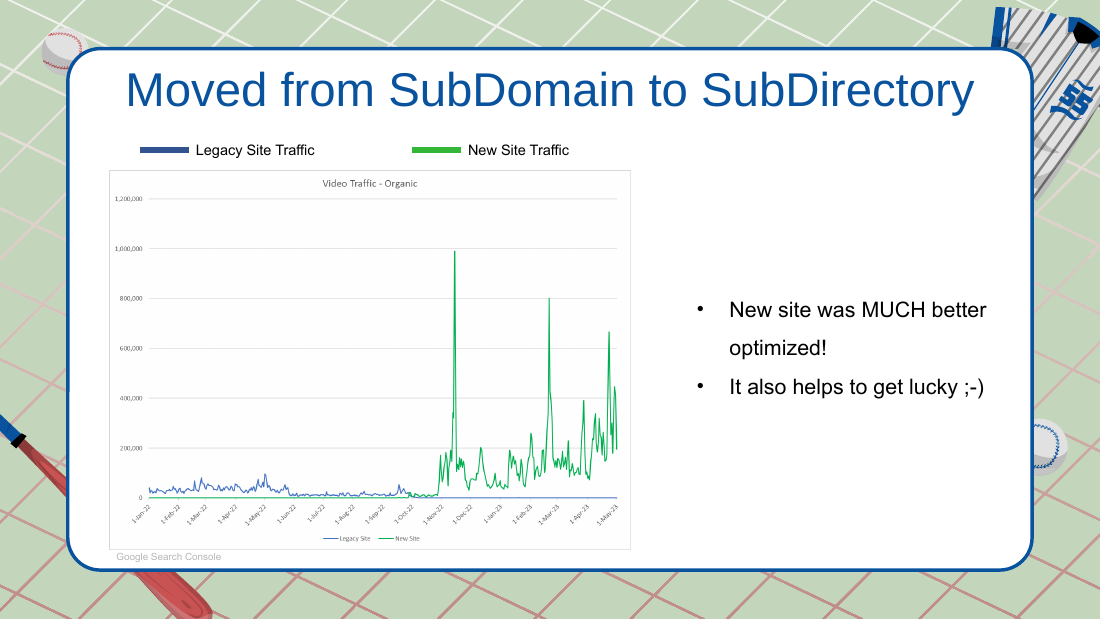
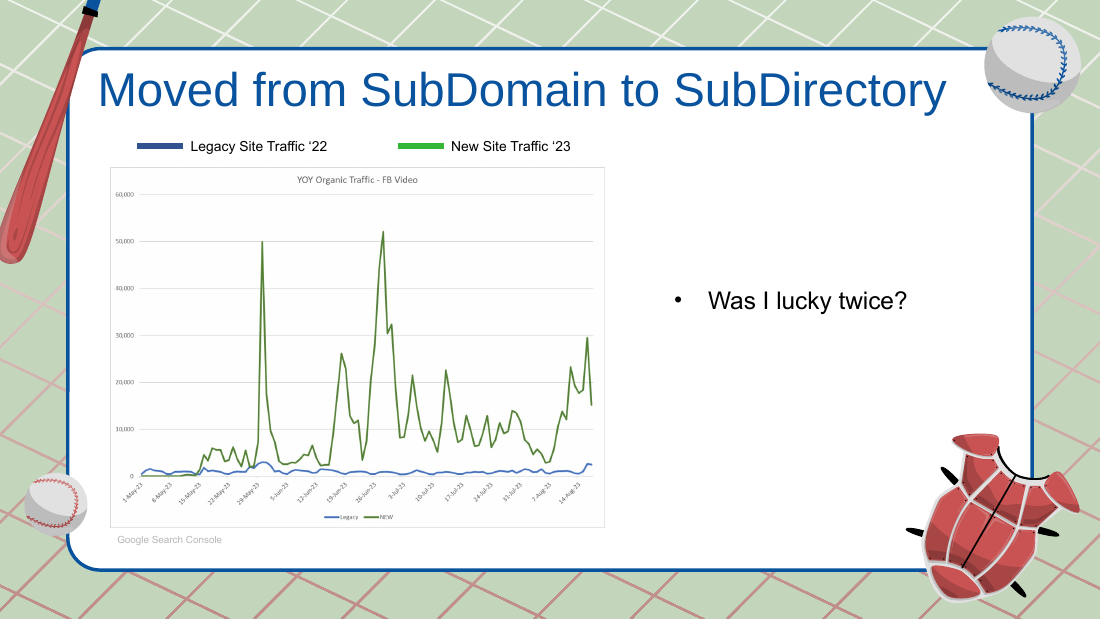
- Subdomain-to-subdirectory move that did very well: partly luck (a viral Florida flood video where debris looked like a shark's fin) and partly making canonicals and internal linking consistent. Repeated successfully for Fox Business.
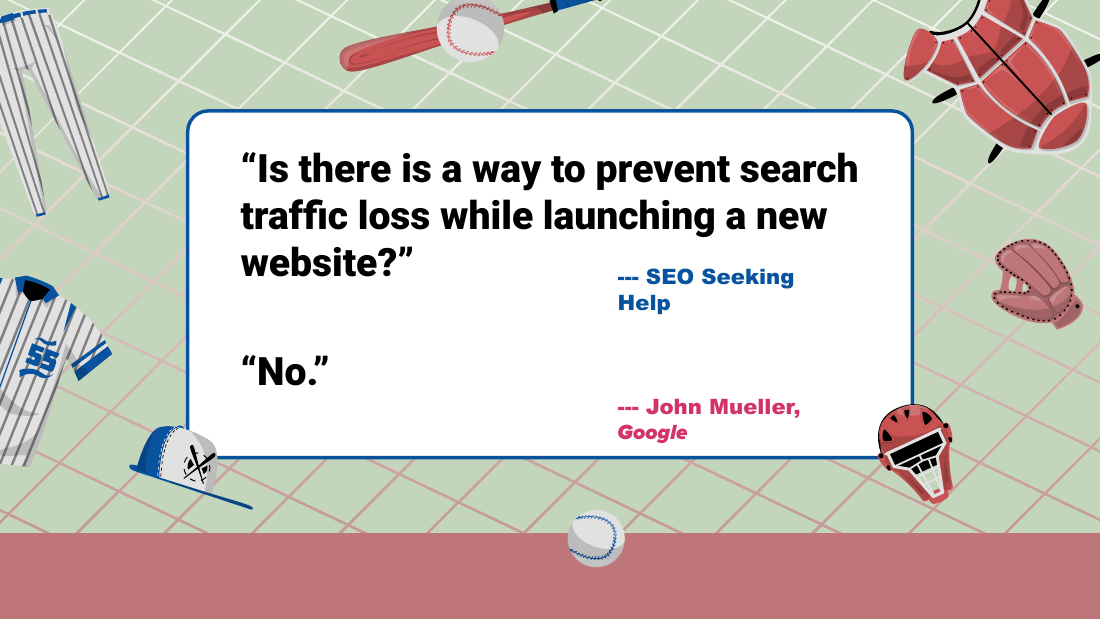
- John Mueller quote shown: "No." (in response to "Is there a way to prevent search traffic loss while launching a new website?"). Charles dislikes this answer for an SEO genuinely seeking help.
- John Mueller quote he likes: "SEO is all about not requiring search engines to read your mind."
Triage / site-strategy order
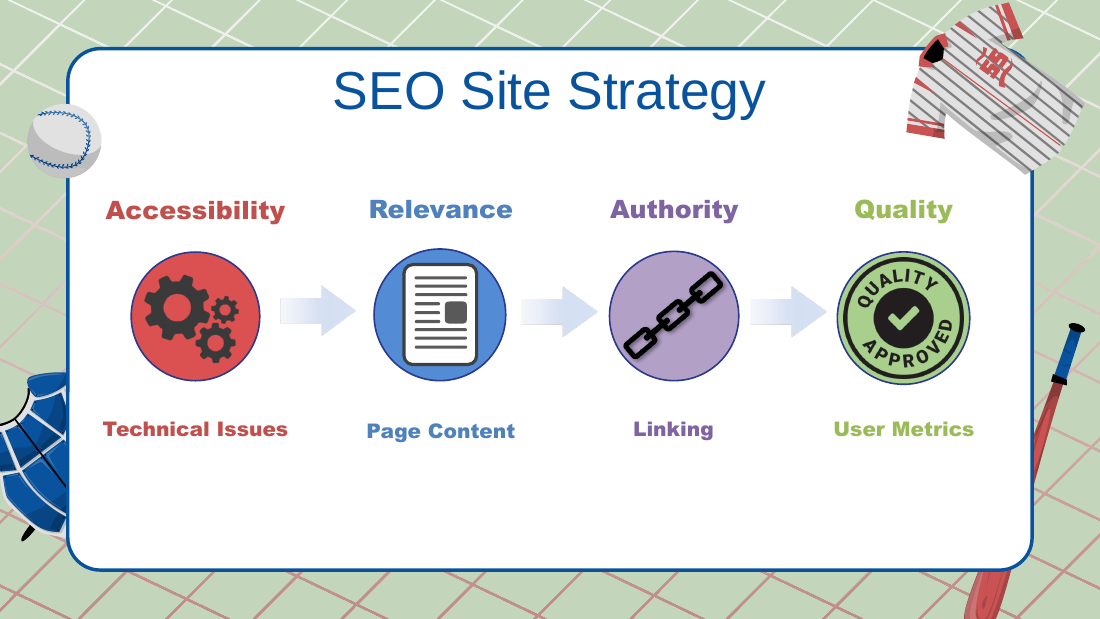
- Always look in this order: (1) technical issues / accessibility, (2) content relevance / page content, (3) authority / linking, (4) user metrics (CTR) as "the cherry on top." Deck pyramid: Accessibility, then Relevance, then Authority, then Quality.
Cleanup checklist (before migration)
- Up-to-date HTML/XML sitemaps; fix bad links (broken 4xx, redirects 3xx); fix soft 404s; fix bad canonicals; remove duplicate content; fix bad titles/metas; fix bad site structure (multiple/missing H1s, correct headline hierarchy, use
<p>not<span>).
Finding every URL
- Sources: Search Console (last 16 months of impressions, clicks, landing pages), Google Analytics landing pages (organic and all traffic), backlink/external-link sources, XML sitemap scraper / site crawl. De-dupe into one master list of "all URLs Google could possibly know about."
- A Google Sheet template was offered as a giveaway to help collect these.
Keep / Redirect / Kill
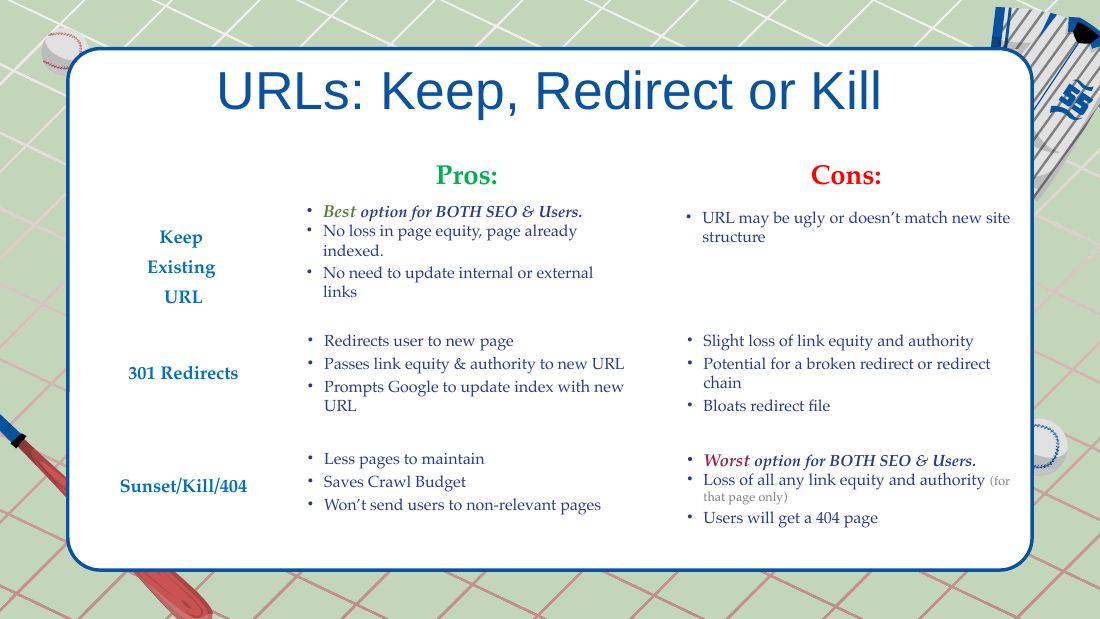
- Keep existing URL: best for SEO and users; no equity loss, already indexed, no need to update links. Con: the URL may be ugly or not match the new structure.
- 301 redirect: passes link equity/authority, prompts Google to update the index; slight equity loss; risk of broken redirect or chains; bloats the redirect file.
- Sunset/Kill/404: worst for SEO and users; loses all authority for that page; but fewer pages to maintain and saves crawl budget. Killing pages in a migration is acceptable, just know you forfeit that page's authority.
Redirect rules
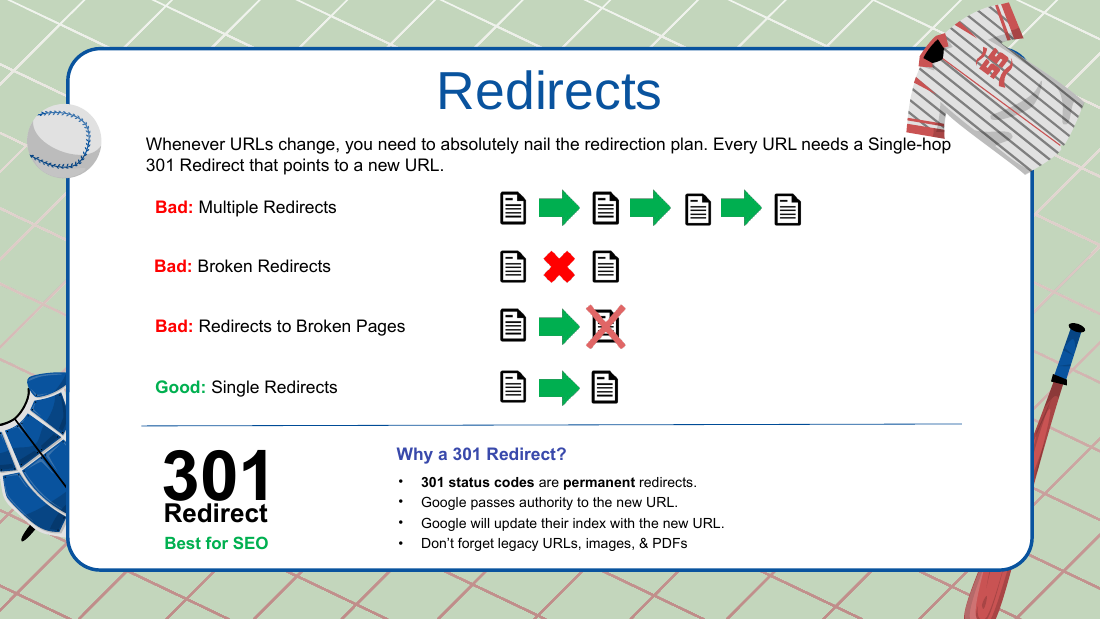
- Single-hop 301 only. No chains (things break). No broken redirects, no redirects to broken pages. A 301s to B; B returns 200 and self-canonicalizes.
- Don't forget legacy URLs, images, and PDFs.
- Keep 301s effectively forever: if humans hit the URL (start with people, "that scares me more") or Google hits the URL, redirect it forever; only remove when no one hits it.
SEO build-process / on-page notes
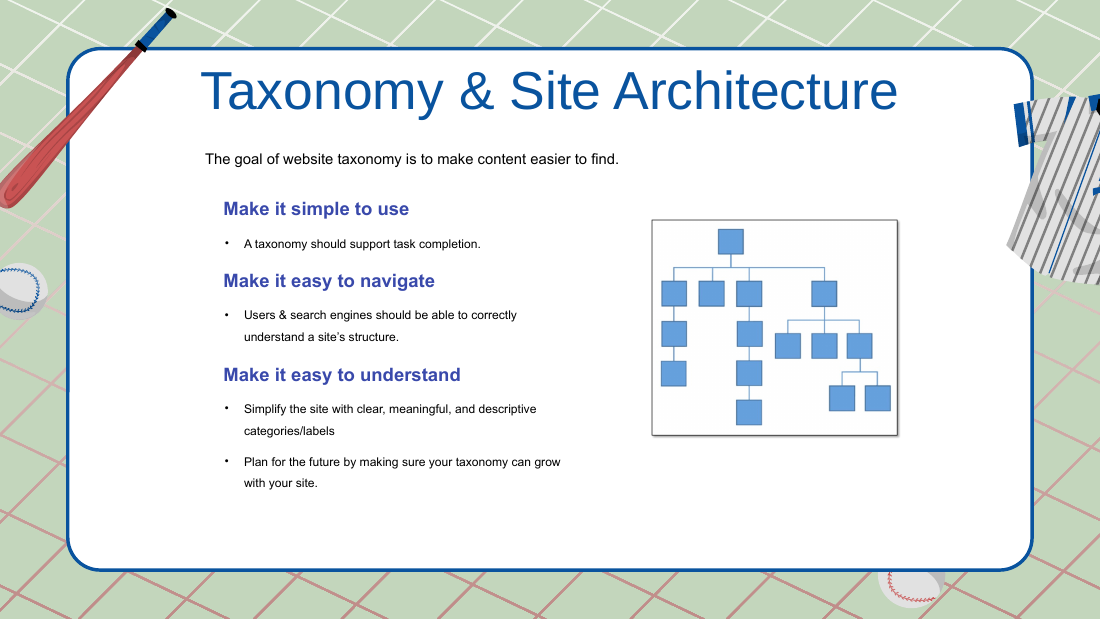
- Taxonomy and clean site architecture: what is good for users tends to be good for Google.
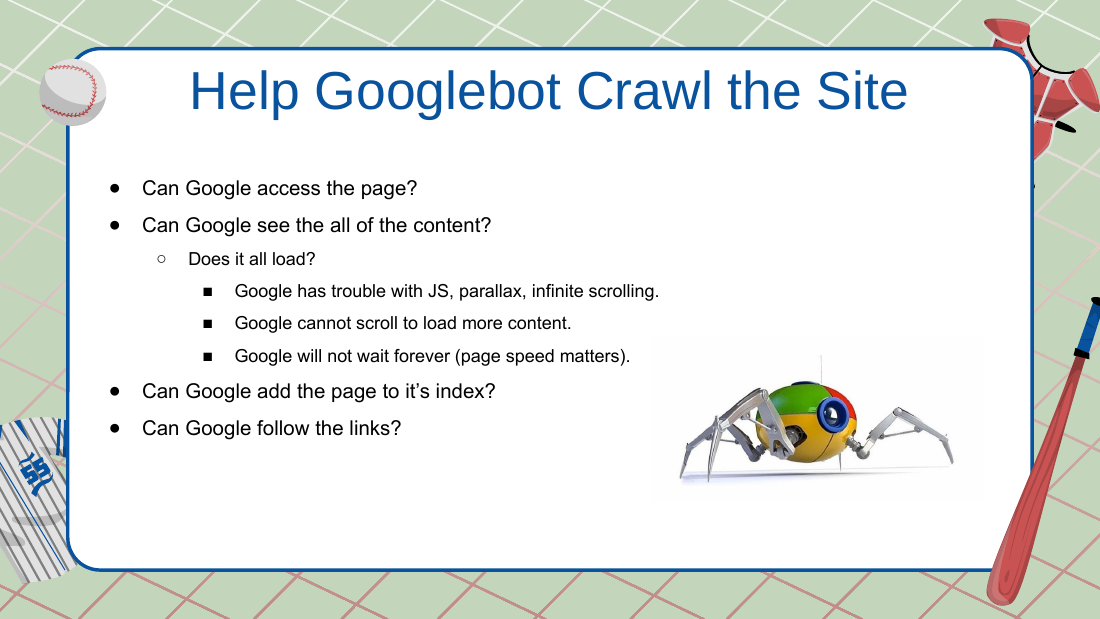
- Help Googlebot crawl: avoid JS/parallax/infinite-scroll that blocks crawling; Google won't scroll to load more and won't wait forever (page speed matters).
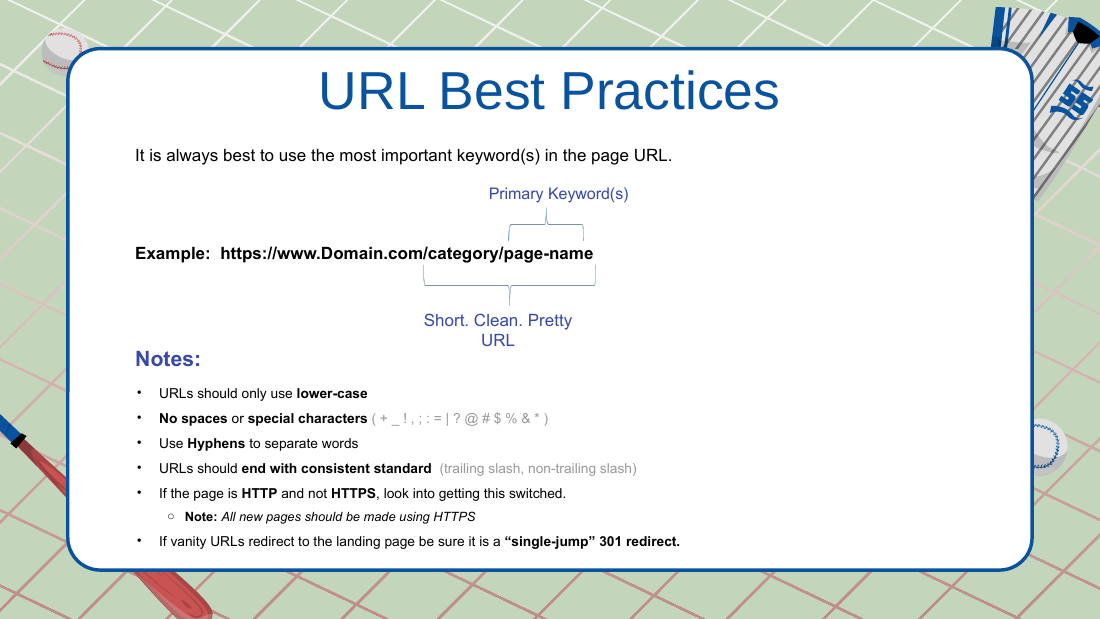
- URL best practices: lowercase only (uppercase should 301 to lowercase); no spaces or special characters; hyphens to separate words; numbers OK if needed; pick a consistent trailing-slash and extension standard and keep internal linking consistent.
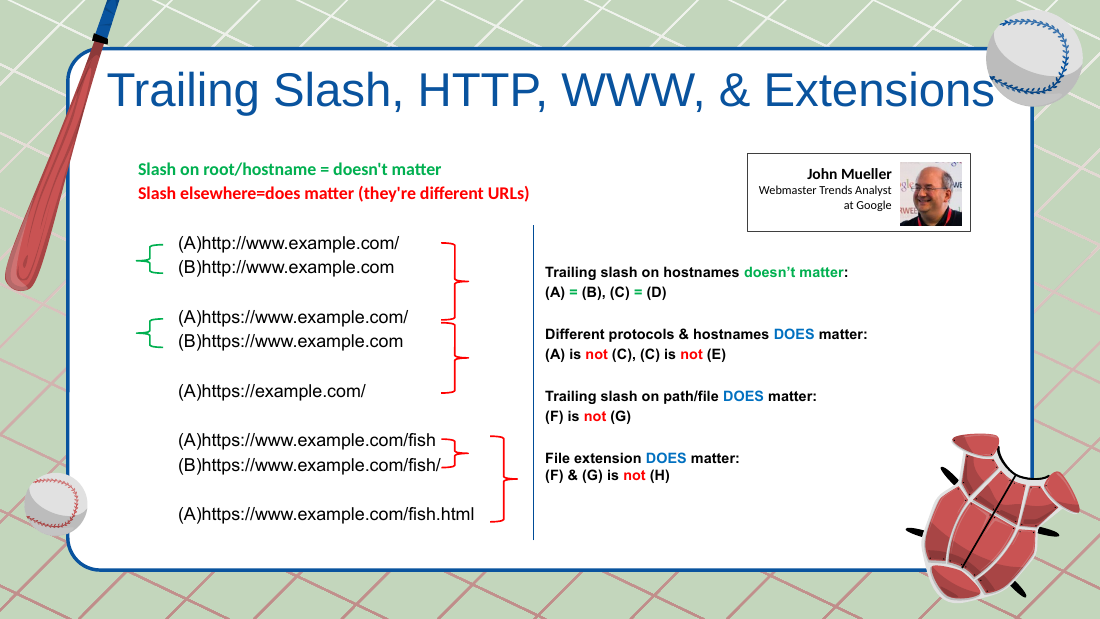
- John Mueller "same vs different" rule: a trailing slash on the root/hostname does NOT matter (example.com = example.com/); a trailing slash elsewhere DOES matter (/fish is not /fish/); different protocols/hostnames matter (HTTP is not HTTPS); file extension matters.
- Even with a canonical, if a slash/no-slash variant resolves 200, something will eventually link to it and create canonical problems; add a 301. Robots.txt is a suggestion, not a block ("Indexed, though blocked by robots.txt" in GSC).
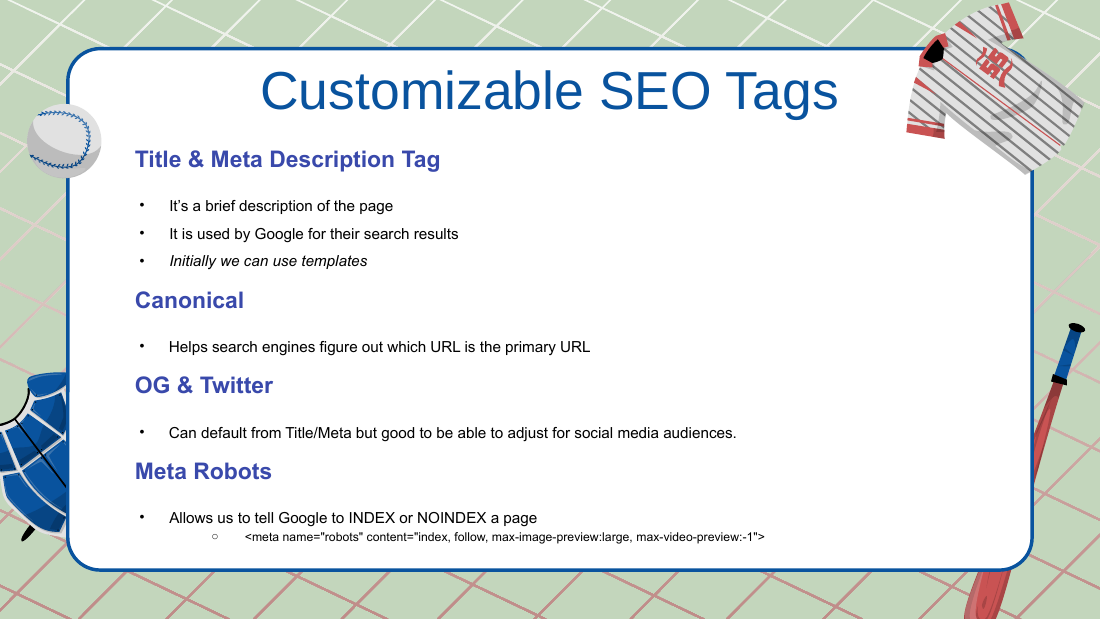
- SEO tags: Title, Meta description, Canonical, OG, Twitter, Meta robots. Recommended meta robots example:
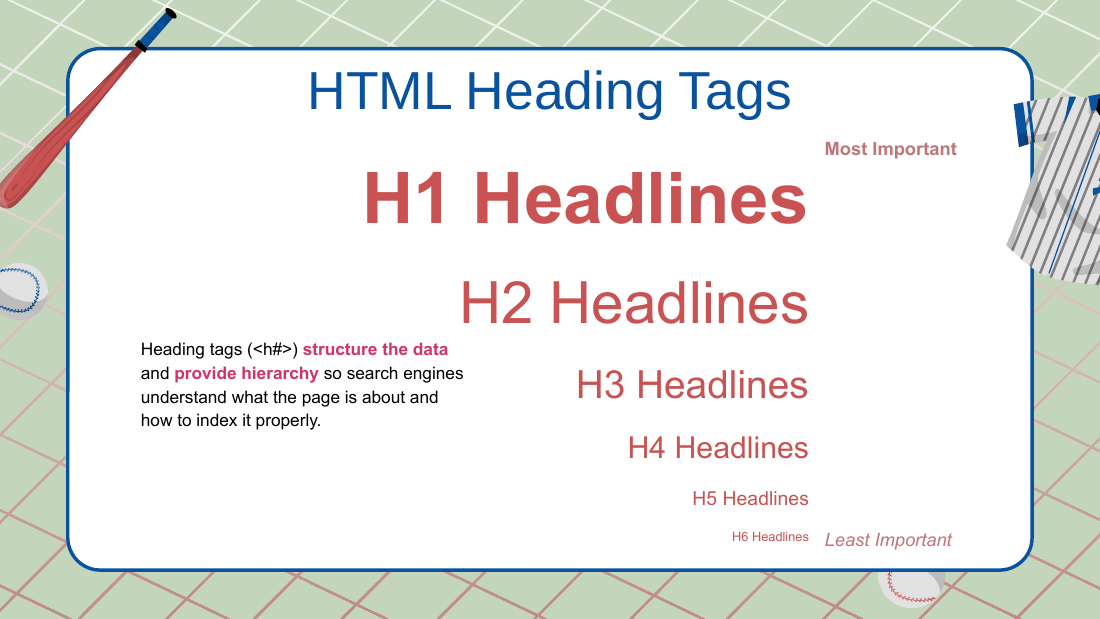
index, follow, max-image-preview:large, max-video-preview:-1. - Headlines: one H1 per page; test by stripping all body content and reading only the headlines, which should tell you what the page is about.
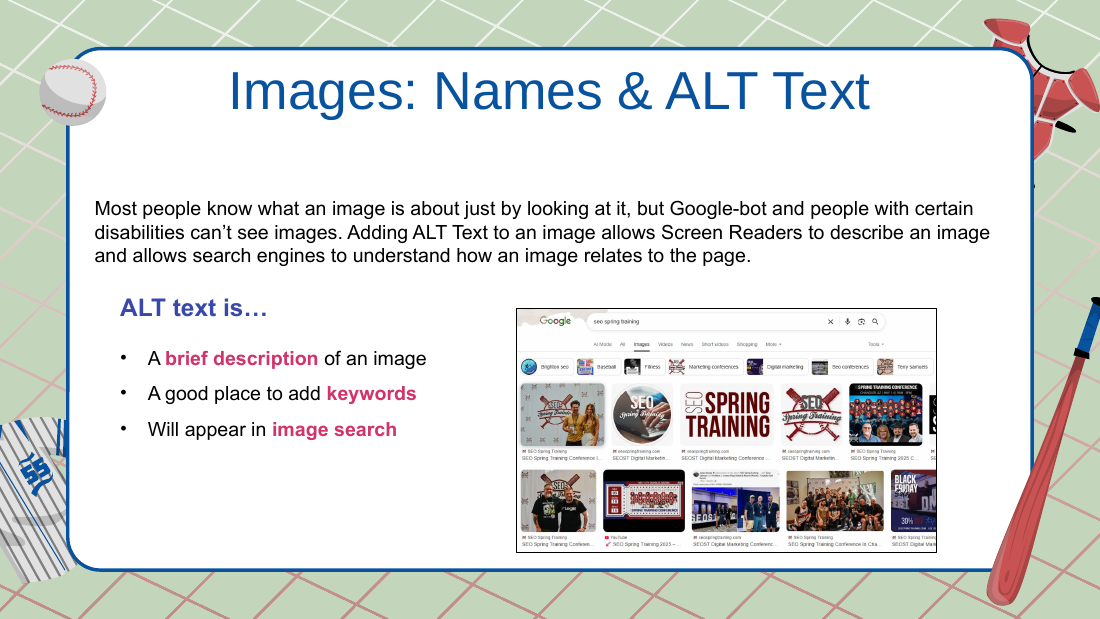
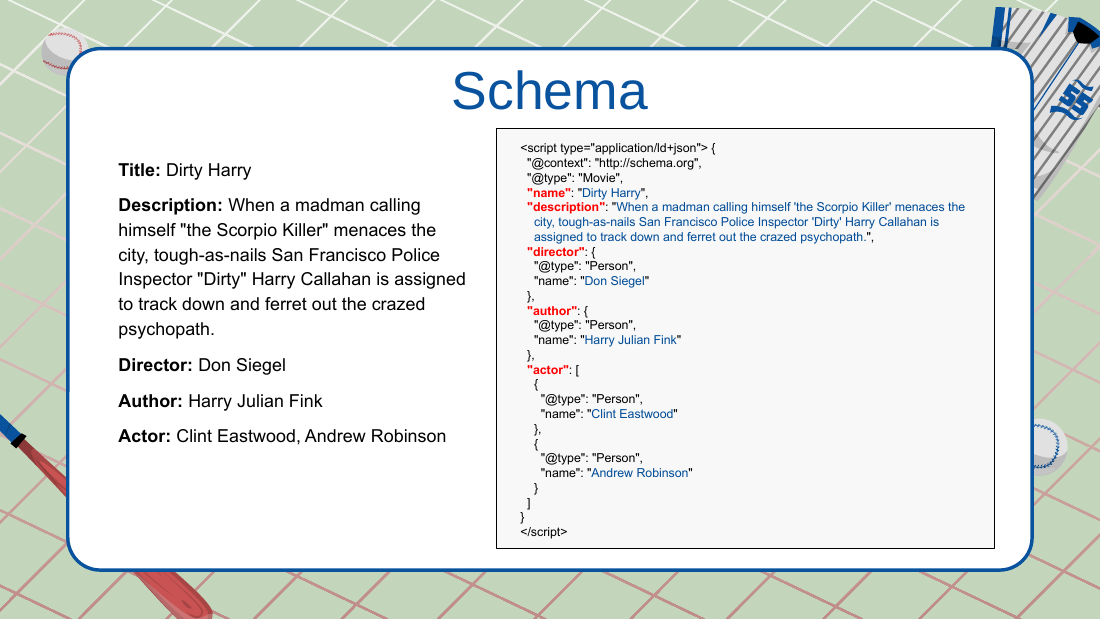
- Alt text for images (accessibility plus image search). Schema example in the deck: a Movie schema for "Dirty Harry."
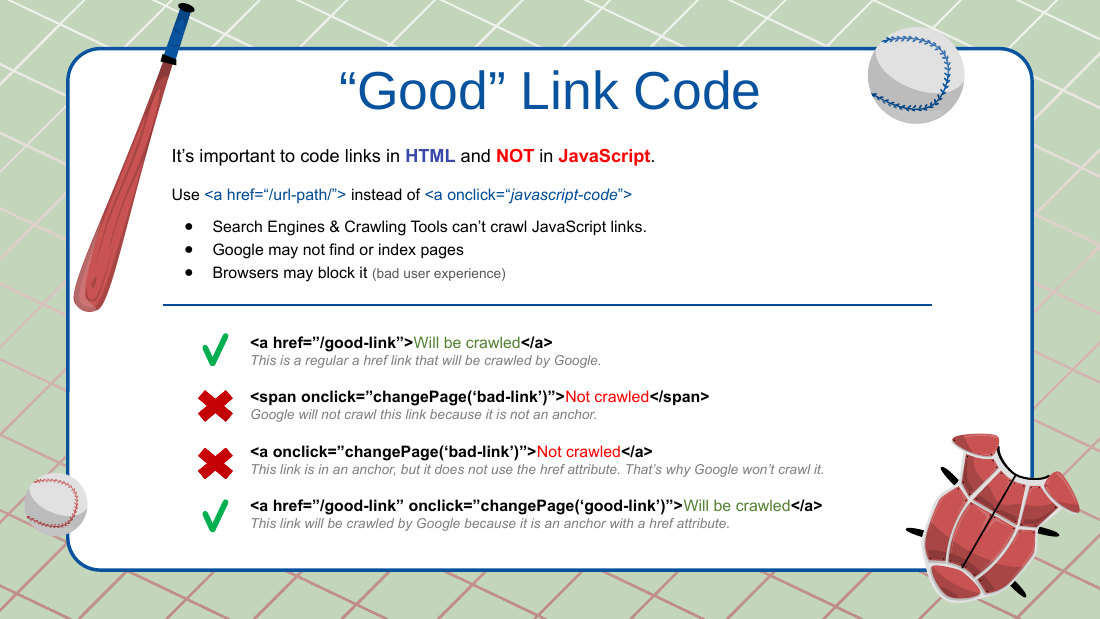
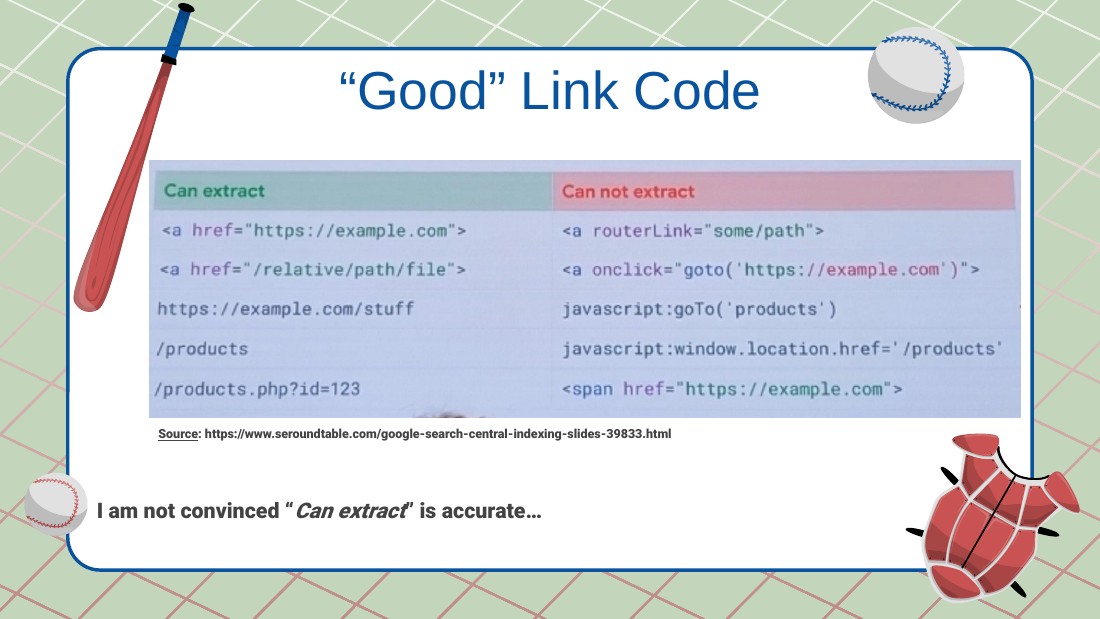
- Good link code: use
<a href="...">, not JavaScript onclick links; an anchor without href won't be crawled. Prefer explicit/absolute hrefs over relative, because Google can go crazy crawling staging/HTTP via relative paths. - He referenced a Google "search deep dive" (Bangkok) slide on "can extract" vs "do extract," and is "not convinced 'can extract' is accurate" (they can extract but may not actually do it; he is running tests). Source cited: https://www.seroundtable.com/google-search-central-indexing-slides-39833.html
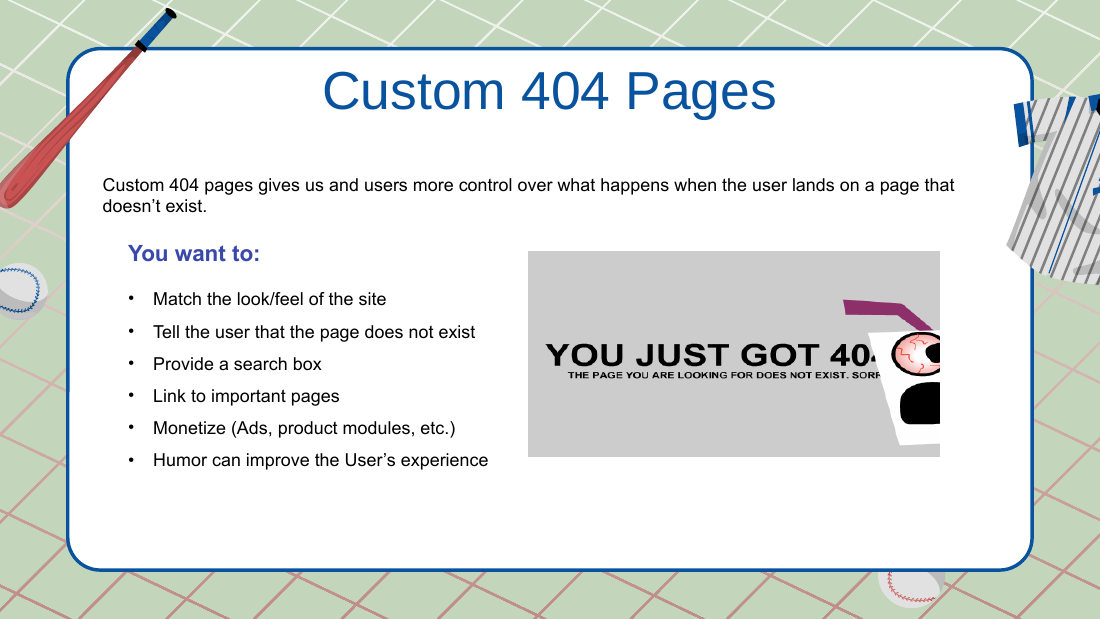
- Custom 404 pages: match site look/feel, say the page doesn't exist, provide a search box, link to important pages, optionally monetize, humor helps.
The "secret sauce" launch sequence
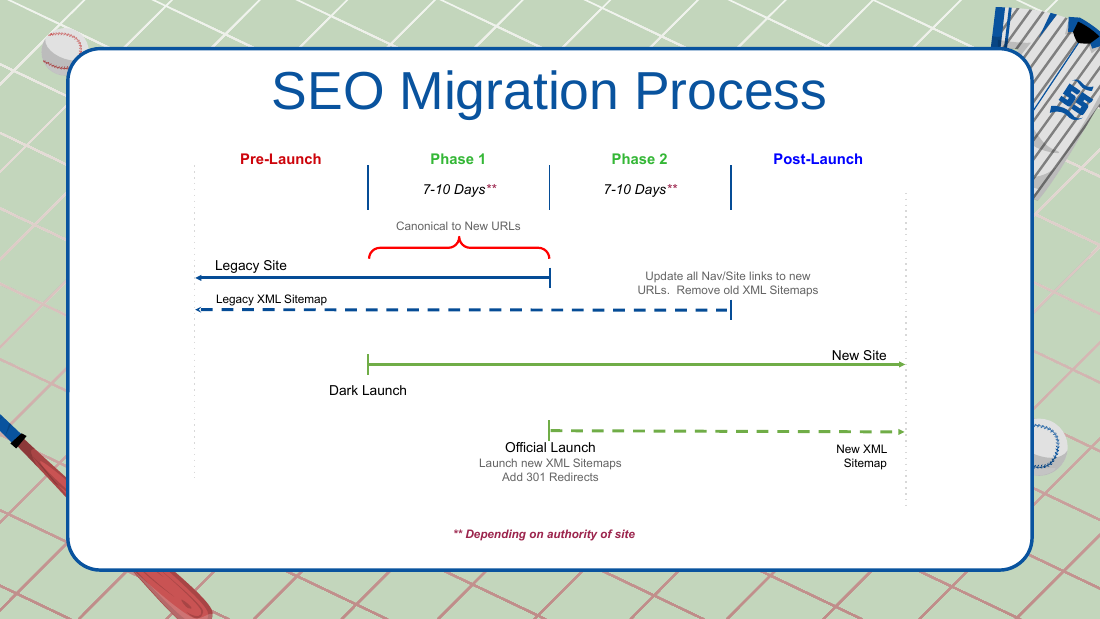
- Domain A to Domain B. Core principle: force Google to crawl the old stuff before it reaches the new stuff. If you don't sequence it, Google thinks both sites are still live ("it's just a dumb algorithm, ones and zeros").
- Phase 1 (Dark launch): dark launch the new site; update the canonicals on the OLD site to point at the new URLs (cover every moving page); wait about a week.
- Phase 2 (Official launch): launch the single-hop 301 redirects (old to new; don't forget images and PDFs); launch the new XML sitemaps on the new site; wait about another week.
- Phase 3 (Post-launch): update all internal links to the new URLs; update nav/site links and remove the legacy XML sitemaps; update any external links you can influence.
- "Wait about a week" between phases is flexible ("until it's done"); the deck notes 7 to 10 days depending on the site's authority.
Takeaways slide
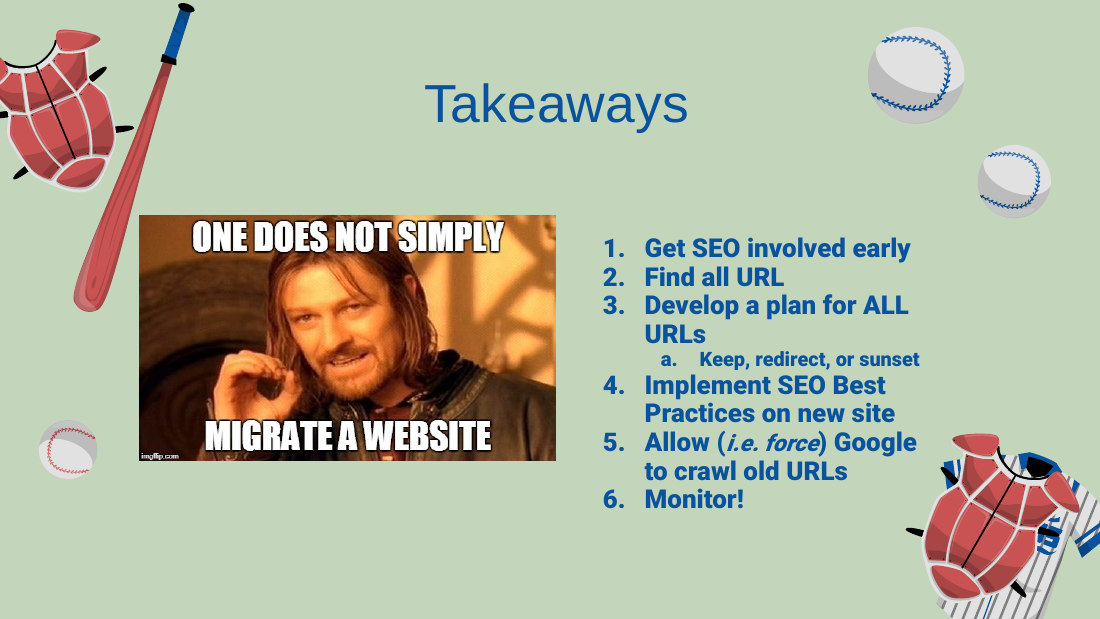
- Get SEO involved early; find all URLs; develop a plan for ALL URLs (keep/redirect/sunset); implement SEO best practices on the new site; allow (force) Google to crawl old URLs; monitor constantly (monitoring is how the redirect hiccup was caught).
Recovery and last tips
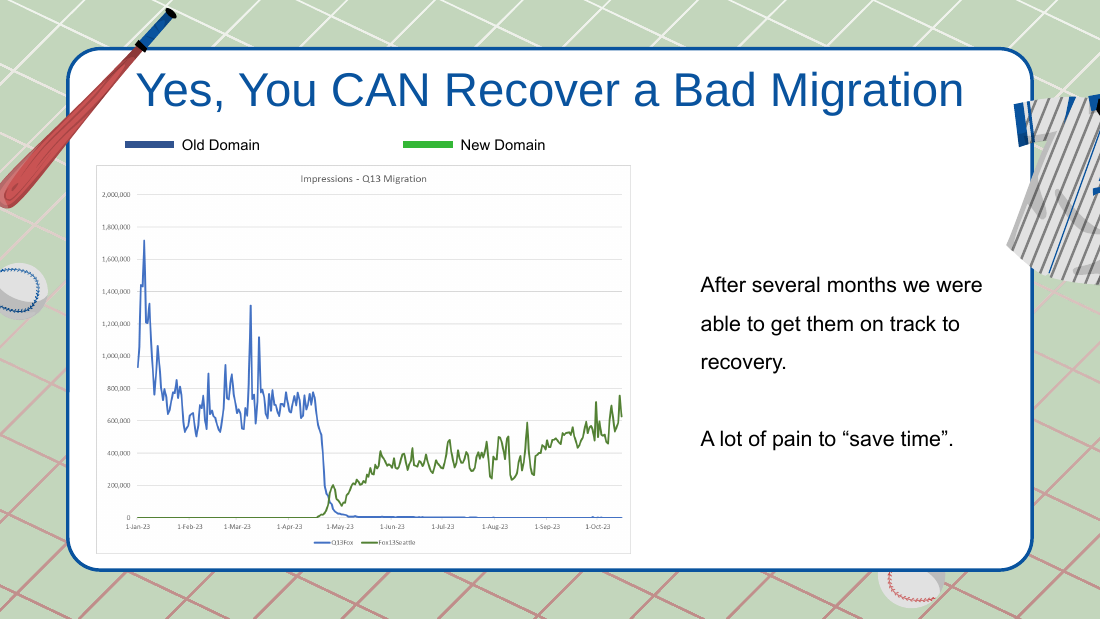
- Yes, you can recover a bad migration; it just takes more time and energy the longer it has been. He has not seen a timeframe at which recovery becomes impossible ("maybe 15 or 20 years," not confirmed).
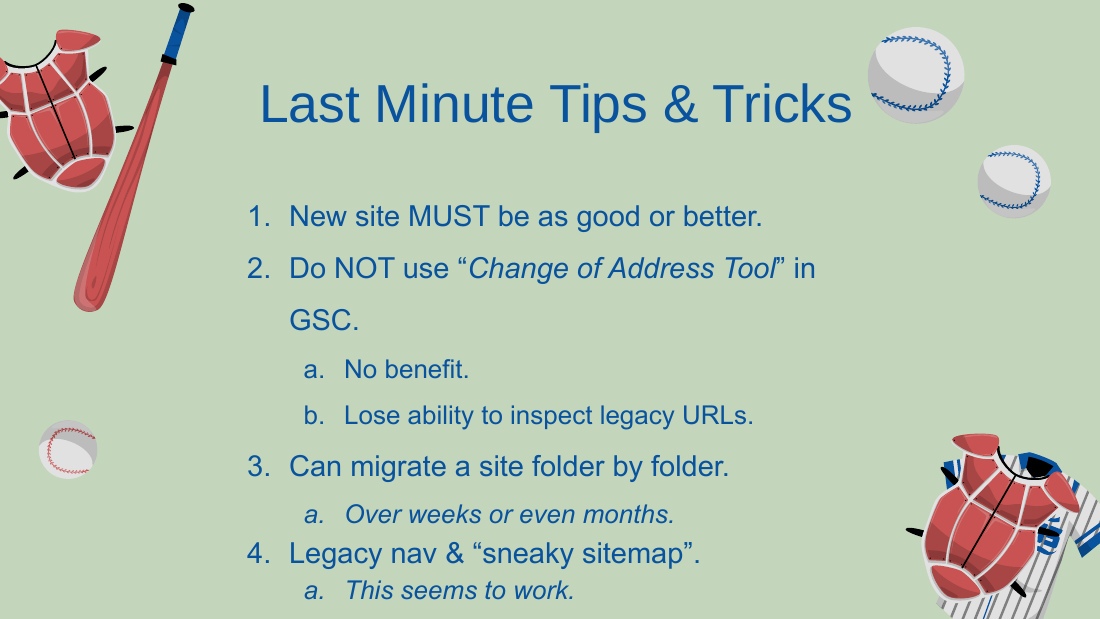
- The new site MUST be as good or better (technical and on-page).
- Do NOT use the GSC Change of Address tool: no proven benefit, and historically it blinded you to legacy-URL inspection data (he says that data loss may have been fixed in the last roughly 6 months, but he still doesn't use it).
- Keep the legacy domain in Search Console even years later.
- You can migrate folder by folder, over weeks or months; you can pause or roll back mid-migration. He led Verizon Wireless to verizon.com this way.
- Most migration disasters are self-inflicted, not black-hat (he credits "Kara" for the point that there is very little black-hat SEO out there).
Q&A
- Pete (toxic links via non-www to www move): Charles would NOT migrate purely to shed toxic links. He doesn't migrate for pure SEO reasons. Instead consult a links person (he names "Ryan") and fix the good/bad link ratio first (build better links).
- No-index Google Ads landing pages (about 1,000 set to index by mistake): there is no true "no index" directive that guarantees exclusion; robots.txt is a suggestion; meta-robots noindex is really a "no serve" (per Google's crawl/index/rank/serve model). If migration is about 45 to 60 days out, noindex them now AND still redirect everything (RSS, merchant feeds, PPC) because humans and non-organic bots still hit the site. If migration is about 3 days or less, migrate first, let authority move over, then noindex about 30 days after.
- Replacing thin landing pages with redirects to real pages: that itself is a mini-migration; do it AFTER the main migration so authority moves and traffic is safe first.
Freebies / CTA
- A QR code at the end; he asks for name plus email; offered the URL-collection Google Sheet template and the slide deck. He notes his funnel is unreliable (set up two days prior).
Slides
Slides (54)







Source
Synthesized from the conference recording and the slide deck charles-taylor-seo-migrations-spring-training-26 (54 slides). Some figures noted in the talk could not be fully verified, and one figure (the non-recovery rate) is reported differently in the deck (17%) versus the spoken talk (70%); both are recorded above.